

⏲️ Estimated reading time: 7 min
Table of Contents
📊 Unique Visitors Dashboard Widget – Track WordPress Traffic Effortlessly
If you want to track how many unique visitors your WordPress site gets daily or monthly without relying on external analytics tools this custom dashboard widget is the perfect lightweight solution. Learn how it works and how to implement it.
Monitoring traffic is essential for understanding how users interact with your WordPress site. While tools like Google Analytics offer robust insights, sometimes you just want a quick dashboard glance to see how many unique visitors you’ve received recently.
This is where a custom WordPress plugin like Unique Visitors Dashboard Widget can make a difference. It uses native PHP, SQL, and WordPress hooks to track visitor IPs, record daily activity, and display a clean widget in your admin dashboard.
Let’s break down how this plugin works and why it’s a great DIY analytics addition to your WordPress site.
🔧 What This Plugin Does
Read also: 10 Essential WordPress Cron Jobs for a Reliable Blog
The Unique Visitors Dashboard Widget plugin logs IP addresses (to detect unique users), stores them in a dedicated database table, and displays a count of unique visitors over the last 30 days. Here’s what it covers:
- Custom database table creation
- Daily IP logging (once per IP)
- Backend dashboard widget
- Cleanup of old records to maintain performance
🛠️ Step-by-Step Code Breakdown
1. ✅ Creating the IP Log Table
function uv_create_ip_log_table() {
    // ... creates wp_unique_visitors table
}
On plugin activation, this function uses dbDelta() to create a table called wp_unique_visitors (or similar, depending on your prefix). This table stores:
ip_address: the visitor’s IPvisit_time: when they visited
The unique key ensures that an IP is only stored once per timestamp.
2. 👤 Logging the Visitor IP
function uv_log_visitor_ip() {
    // ... inserts a new visitor IP once per day
}
This function checks if the current IP has already visited today. If not, it logs the IP and timestamp. It uses current_time() for WordPress-consistent timezone handling.
🔒 It smartly avoids logging admin users by checking
is_admin().
3. 📥 Adding a Custom Dashboard Widget
function uv_add_dashboard_widget() {
    wp_add_dashboard_widget(...);
}
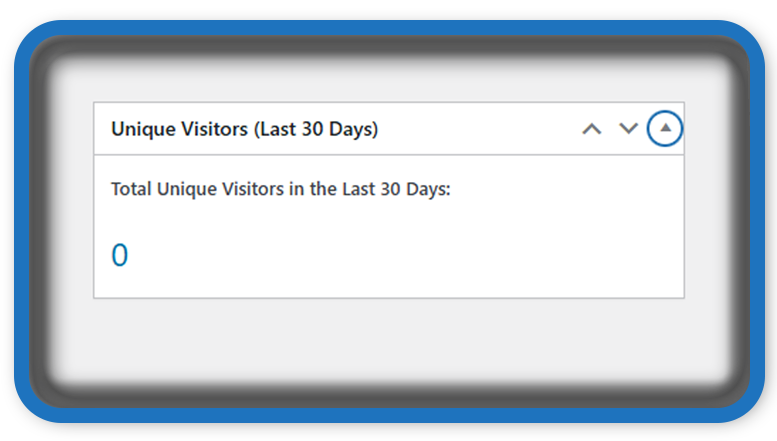
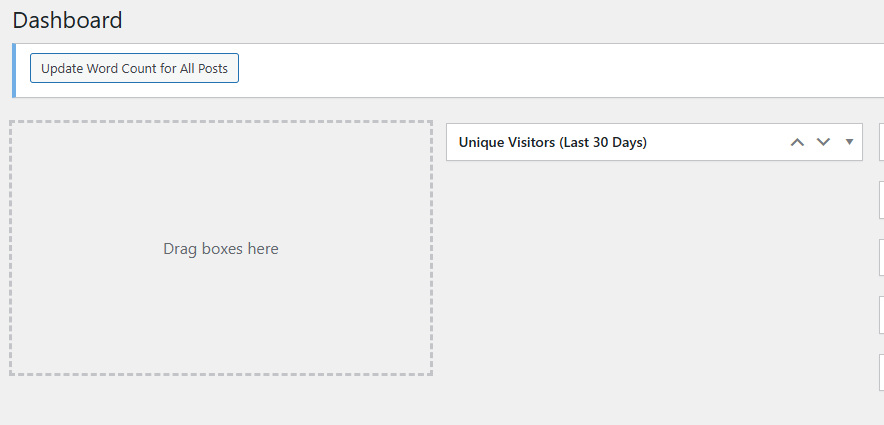
This hooks into wp_dashboard_setup and displays a simple box labeled “Unique Visitors (Last 30 Days)” in the admin area.
The function uv_display_unique_visitors_widget() executes an SQL query to count distinct IPs in the past 30 days and presents it beautifully.
4. 🧹 Automated Cleanup – Optimize Database Size
function uv_cleanup_old_ips() {
    // ... deletes rows older than 60 days
}
Old records are irrelevant for tracking recent visitor trends. This cleanup function runs once per day using wp_schedule_event, deleting rows older than 60 days to keep the table lean and performant.
This is a critical step for long-term maintenance.
📜 Full PHP Code for the Plugin
Below is the complete plugin code. Save it as unique-visitors-dashboard.php and place it in a folder named unique-visitors-dashboard inside /wp-content/plugins/.
<?php
/**
 * Plugin Name: Unique Visitors Dashboard Widget
 * Description: Displays unique visitors over the last 30 days in the WordPress dashboard.
 * Version: 1.0
 * Author: HelpZone
 */

// 1. Create custom database table
function uv_create_ip_log_table() {
    global $wpdb;
    $table_name = $wpdb->prefix . 'unique_visitors';
    $charset_collate = $wpdb->get_charset_collate();

    $sql = "CREATE TABLE IF NOT EXISTS $table_name (
        id BIGINT(20) UNSIGNED AUTO_INCREMENT PRIMARY KEY,
        ip_address VARCHAR(45) NOT NULL,
        visit_time DATETIME NOT NULL,
        UNIQUE KEY ip_time (ip_address, visit_time)
    ) $charset_collate;";

    require_once(ABSPATH . 'wp-admin/includes/upgrade.php');
    dbDelta($sql);
}
register_activation_hook(__FILE__, 'uv_create_ip_log_table');

// 2. Log visitor IP (once per IP per day)
function uv_log_visitor_ip() {
    if (is_admin()) return; // Skip admin visits

    global $wpdb;
    $table_name = $wpdb->prefix . 'unique_visitors';
    $ip = $_SERVER['REMOTE_ADDR'];
    $today = current_time('Y-m-d');

    $exists = $wpdb->get_var($wpdb->prepare(
        "SELECT COUNT(*) FROM $table_name WHERE ip_address = %s AND DATE(visit_time) = %s",
        $ip, $today
    ));

    if (!$exists) {
        $wpdb->insert($table_name, [
            'ip_address' => $ip,
            'visit_time' => current_time('mysql')
        ]);
    }
}
add_action('init', 'uv_log_visitor_ip');

// 3. Add Dashboard Widget
function uv_add_dashboard_widget() {
    wp_add_dashboard_widget(
        'uv_unique_visitors_widget',
        'Unique Visitors (Last 30 Days)',
        'uv_display_unique_visitors_widget'
    );
}
add_action('wp_dashboard_setup', 'uv_add_dashboard_widget');

function uv_display_unique_visitors_widget() {
    global $wpdb;
    $table_name = $wpdb->prefix . 'unique_visitors';
    $date_limit = date('Y-m-d H:i:s', strtotime('-30 days'));

    $unique_visitors = $wpdb->get_var(
        $wpdb->prepare("SELECT COUNT(DISTINCT ip_address) FROM $table_name WHERE visit_time >= %s", $date_limit)
    );

    echo '<p><strong>Total Unique Visitors in the Last 30 Days:</strong></p>';
    echo '<h2 style="color:#0073aa;">' . intval($unique_visitors) . '</h2>';
}

// 4. (Optional) Cleanup old data older than 60 days
function uv_cleanup_old_ips() {
    global $wpdb;
    $table_name = $wpdb->prefix . 'unique_visitors';
    $cutoff = date('Y-m-d H:i:s', strtotime('-60 days'));

    $wpdb->query($wpdb->prepare(
        "DELETE FROM $table_name WHERE visit_time < %s",
        $cutoff
    ));
}
add_action('wp_scheduled_uv_cleanup', 'uv_cleanup_old_ips');

if (!wp_next_scheduled('wp_scheduled_uv_cleanup')) {
    wp_schedule_event(time(), 'daily', 'wp_scheduled_uv_cleanup');
}
🚀 How to Install This Plugin
- Create a folder called
unique-visitors-dashboardinwp-content/plugins/. - Save the code above into a file named
unique-visitors-dashboard.phpinside that folder. - Go to Plugins > Installed Plugins in your WordPress admin and activate the plugin.
- You’ll now see a widget on your dashboard labeled “Unique Visitors (Last 30 Days)”.
No further setup is required visitor tracking starts automatically.
🛡️ Why Use This Instead of Google Analytics?
- ✅ Fully self-hosted and privacy-respecting
- ✅ No cookies or JavaScript required
- ✅ Lightweight (no external scripts)
- ✅ Works even with caching (IP logging is server-side)
- ✅ Ideal for intranet sites or analytics-free environments
This plugin provides a good foundation for further expansion, such as charts, IP geolocation, filtering, or exporting logs.
📌 Why Use This Plugin?
- ✔️ Lightweight alternative to Google Analytics
- ✔️ Runs entirely inside your WordPress site
- ✔️ Fully customizable and open-source
- ✔️ No data sharing with third-party services
- ✔️ Useful for privacy-conscious projects or internal sites
🚀 Extend It Further
If you’re a developer, here are some enhancement ideas:
- Show daily, weekly, or monthly visitor trends with charts.
- Add geolocation support (with IP API).
- Exclude specific IPs (e.g., bots or internal users).
- Track pageviews in addition to unique visitors.
This plugin forms a foundation for building a robust in-house analytics solution tailored to your exact needs.
📌 Final Thoughts
If you’re looking for a clean, self-hosted way to track unique visitors over time, this plugin is a strong starting point. It’s a great tool for WordPress developers and site owners who want simple visibility without overcomplicating analytics.
Best of all, it respects user privacy by storing minimal data no cookies, no third-party scripts.
🔔For more tutorials like this, consider subscribing to our blog.
📩 Do you have questions or suggestions? Leave a comment or contact us!
🏷️ Tags: WordPress plugins, dashboard widget, unique visitors, analytics plugin, PHP WordPress, WordPress development, WordPress admin tools, IP logger, custom widget, plugin development
📢 Hashtags: #WordPressPlugin, #UniqueVisitors, #DashboardWidget, #WebAnalytics, #WPDev, #WordPressAdmin, #SelfHostedAnalytics, #PHPWordPress, #PluginTutorial, #WPCoding
🔍 Summary
With just a few lines of well-structured PHP, you can build a fully functional dashboard widget to monitor traffic on your WordPress site. It’s a fantastic example of how powerful and flexible the WordPress platform is when paired with custom code.
