How to Monitor Average Time...
Learn how to display a custom dashboard panel in WordPress showing the top 100 posts with average visitor time. This…

Tips, Tricks & Hacks for Life
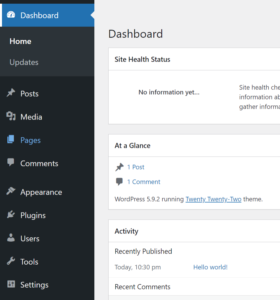 Explore practical tutorials, code snippets, and optimization tips for customizing your WordPress Dashboard. Learn how to add widgets, improve admin performance, track statistics, and automate tasks using custom PHP functions. This section helps developers and site owners enhance productivity and streamline workflow directly from the WordPress admin area.
Learn how to display a custom dashboard panel in WordPress showing the top 100 posts with average visitor time. This…
Bring life to your WordPress dashboard with a beautiful Apple-style analog clock that shows the current time in Brussels –…
Easily visualize your website’s performance using a radar chart in the WordPress dashboard. This tutorial shows you how to create…
Enhance your WordPress site with a custom post issue reporter plugin. Let users report problems directly from post pages, then…
Add a stylish, real-time world clock widget to your WordPress dashboard! This plugin displays current times for major cities across…
If you’re running Google AdSense on your WordPress site, it’s important to exclude logged-in users especially admins from seeing or…
If you’re managing a content-heavy WordPress site, having a quick overview of published posts by category is invaluable. This custom…
If you want to track how many unique visitors your WordPress site gets daily or monthly without relying on external…