


⏲️ Estimated reading time: 4 min
Table of Contents
Learn how to display real-time Bitcoin Price on your WordPress site using the CoinMarketCap API and a simple shortcode. This guide walks you through the code, style, and wp-config setup for secure API integration.
Display Live Bitcoin Price on WordPress Using CoinMarketCap API
If you want to showcase the live Bitcoin price directly on your WordPress website, integrating with the CoinMarketCap API is a powerful solution. In this post, you’ll learn how to use PHP and a shortcode to display the current BTC/USD value in a stylish, customizable ticker. We’ll also explain how to safely store and retrieve your API key via wp-config.php.
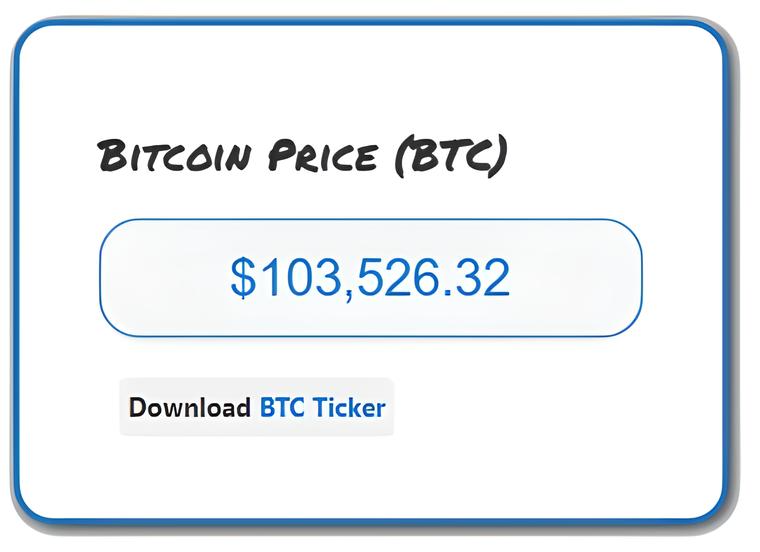
📌 What This Script Does
The script fetches the latest Bitcoin (BTC) price in USD from the CoinMarketCap API and displays it on your website using a shortcode. The output is styled with a sleek design to fit seamlessly into most themes.
🧩 Full Code Breakdown
function get_bitcoin_price() {
    $api_url = 'https://pro-api.coinmarketcap.com/v1/cryptocurrency/quotes/latest';
    $api_key = COINMARKETCAP_API_KEY; // defined in wp-config.php

    $parameters = [
        'symbol' => 'BTC',
        'convert' => 'USD'
    ];

    $query_string = http_build_query($parameters);
    $url = "$api_url?$query_string";

    $headers = [
        "X-CMC_PRO_API_KEY: $api_key"
    ];

    $ch = curl_init();
    curl_setopt($ch, CURLOPT_URL, $url);
    curl_setopt($ch, CURLOPT_RETURNTRANSFER, 1);
    curl_setopt($ch, CURLOPT_HTTPHEADER, $headers);

    $response = curl_exec($ch);
    curl_close($ch);

    if ($response) {
        $data = json_decode($response, true);
        if (isset($data['data']['BTC']['quote']['USD']['price'])) {
            return number_format($data['data']['BTC']['quote']['USD']['price'], 2);
        }
    }

    return 'N/A';
}
This function uses cURL to securely fetch data from the API. If the price is available, it returns a formatted number. If anything fails, it shows "N/A".
🧩 Shortcode Integration
function display_bitcoin_price() {
    $price = get_bitcoin_price();
    ob_start(); ?>
    <div class="bitcoin-ticker">
        <span class="btc-price">$<?php echo esc_html($price); ?></span>
    </div>
    <?php
    return ob_get_clean();
}
add_shortcode('bitcoin_ticker', 'display_bitcoin_price');
Add to any post or page to show the live price.
Read also: Every man dies, but not every man truly lives
🎨 Custom Styling
function bitcoin_ticker_styles() {
    echo '<style>
        .bitcoin-ticker {
            font-family: Arial, sans-serif;
            background: #f4f4f4;
            border: 1px solid #1e73be;
            border-radius: 20px;
            padding: 10px 15px;
            text-align: center;
            max-width: 300px;
            margin: 20px auto;
            box-shadow: 0 2px 4px rgba(0, 0, 0, 0.1);
        }
        .btc-price {
            font-size: 1.5em;
            color: #1e73be;
        }
    </style>';
}
add_action('wp_head', 'bitcoin_ticker_styles');
This block injects a stylish design for your ticker into the <head> of your site without needing external stylesheets.
🔐 Securely Adding Your API Key to wp-config.php
Never hard-code your API keys directly into theme files. Instead, use this method in your wp-config.php file:
define('COINMARKETCAP_API_KEY', 'your_real_api_key_here');
This way, the key remains outside the publicly accessible part of your site, improving security and portability. The PHP function then pulls the constant securely using:
$api_key = COINMARKETCAP_API_KEY;
✅ Final Steps to Activate
- Add the full PHP code (minus the
define()line) to your child theme’sfunctions.phpor a custom plugin. - Add your API key to
wp-config.php. - Use
That’s it! You now have a real-time Bitcoin price widget powered by the CoinMarketCap API.
⚠️ DISCLAIMER
This article is provided strictly for educational and informational purposes. The code and examples presented are for guidance only and should be tested in a staging environment before being applied to a live website. The Bitcoin price displayed through the CoinMarketCap API is provided by third parties and may be subject to delays, errors, or differences compared to other sources. We do not provide financial, investment, or legal advice. The use of the CoinMarketCap API and its data is subject to CoinMarketCap’s terms and policies, and compliance with them is the user’s responsibility. You are responsible for securing your API keys (do not publish them in public code), complying with rate limits, and covering any costs associated with your API plan.
🔔 For more tutorials like this, consider subscribing to our blog.
📩 Do you have questions or suggestions? Leave a comment or contact us!
🏷️ Tags: bitcoin, coinmarketcap, cryptocurrency, btc price, wordpress shortcode, wp-config, php api integration, real-time data, crypto ticker, wp plugin
📢 Hashtags: #BitcoinPrice #CoinMarketCap #CryptoWidget #WordPressDev #BTCUSD #CryptoAPI #PHPCode #SecureAPI #ShortcodeMagic #WPConfigTips
