

⏲️ Estimated reading time: 6 min
Table of Contents
Gears Maintenance Mode (GMM) Plugin Review – Stylish Maintenance Page for WordPress. Gears Maintenance Mode is a simple yet stylish WordPress plugin that shows a custom animated maintenance page to non-admin visitors. It’s lightweight, effective, and perfect for basic maintenance needs with room for enhancement.
Gears Maintenance Mode (GMM) Plugin Review
The Gears Maintenance Mode plugin is a simple WordPress tool that displays a maintenance page to non-admin users while allowing administrators to continue accessing the site normally. It’s a lightweight, no-frills solution for placing your site in maintenance mode with a professional touch.
Why You Need a Multilingual Maintenance Page
Every website needs occasional maintenance – whether it’s for updates, security patches, or major improvements. But what happens when your visitors speak different languages? A generic “We’ll be back soon” message might leave non-English speakers confused or frustrated.
That’s where a multilingual maintenance page comes in. Today, I’ll show you how to implement a professional maintenance mode that automatically detects your visitors’ language and displays an appropriate message.
(GMM) Gears-Maintenance-Mode
Demo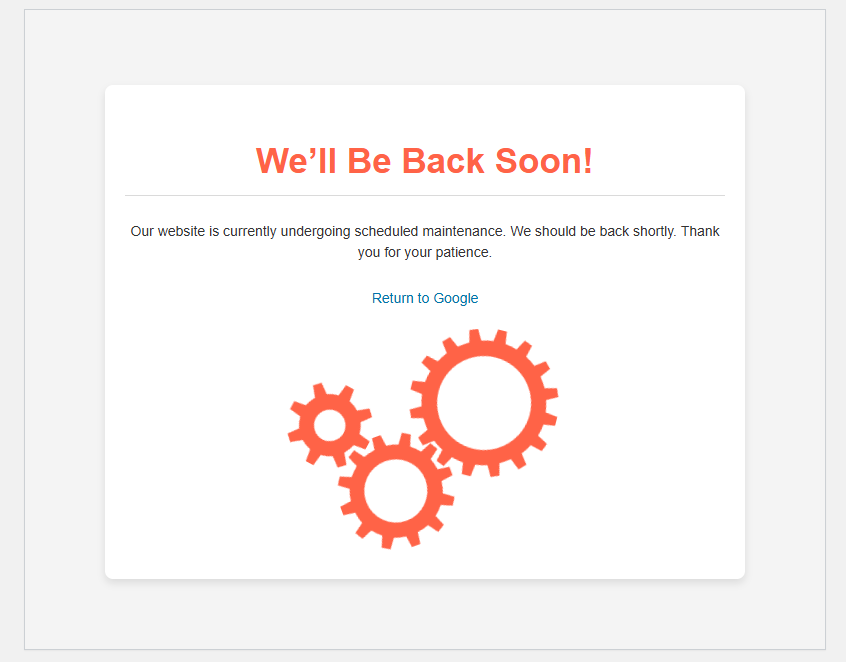
🔑 Key Features (GMM)
✅ Admin Bypass:
Only shows the maintenance screen to non-administrators and logged-out users. Logged-in admins can continue working on the site without disruption.
✅ Custom Maintenance Page (GMM) :
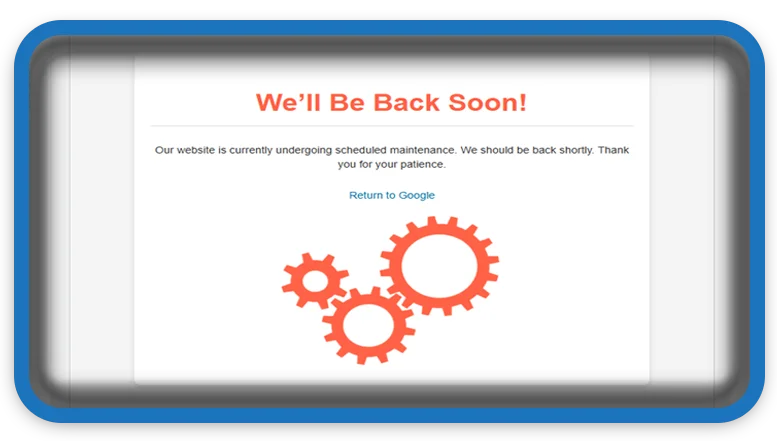
Displays a visually appealing animated page with:
- Rotating gear animations (small, medium, large gears)
- Responsive layout
- Clean, modern styling with shadow effects
✅ Proper HTTP Status Code:
Returns a 503 (Service Unavailable) header to indicate temporary downtime. This is SEO-friendly and helps search engines understand the status.
🔍 Code Analysis
The plugin follows WordPress best practices and is easy to install and activate. It hooks into get_header, uses current_user_can() for role checking, and serves the custom page via wp_die().
💪 Strengths
- ✅ Uses WordPress hooks appropriately
- ✅ Clean and structured HTML/CSS
- ✅ Includes animated SVG gears for a fun touch
- ✅ Plugin headers are complete and compliant
- ✅ Output is properly handled and secured
🛠️ Potential Improvements
While already effective, here are a few suggestions to expand its features:
See also: Blog Hits Counter: Automatic Site & Post Hits
- Add a settings page in the admin to:
- Enable/disable maintenance mode
- Customize the message or visuals
- Set branding or colors
- Include a countdown timer if there’s a scheduled end time.
- Add cache-control headers to discourage indexing by search engines.
🧑💻 Usage Recommendation (GMM)
This plugin is ready to use as-is for basic maintenance needs. If you’re a developer or site owner looking for something lightweight and clean, this is a great starting point.
The animated gears give your visitors a playful yet professional message that the site is being worked on much more engaging than a blank screen.
❓ Frequently Asked Questions (FAQ)
Q: Is Gears Maintenance Mode (GMM) plugin free?
A: The plugin reviewed here appears to be a free, basic maintenance mode solution. Some features mentioned as “potential improvements” (like settings pages or countdown timers) might not be present in the base version.
Q: Will the maintenance page hurt my SEO?
A: The plugin properly uses HTTP 503 status codes, which tells search engines that your site is temporarily unavailable. This is SEO-friendly when used correctly for short-term maintenance.
Q: Can visitors still access my site while in maintenance mode?
A: Only logged-in administrators can access the full site. All other visitors (including logged-out users and non-admin logged-in users) will see the maintenance page.
Q: Does this plugin support multilingual maintenance messages?
A: The base version reviewed provides a standard maintenance page. The article discusses the importance of multilingual support and how it could be implemented, but this may require additional customization or plugins.
Q: How do I customize the maintenance page design?
A: The plugin uses clean HTML/CSS with SVG animations. To customize it, you would need to modify the plugin’s CSS and possibly HTML files, or consider additional plugins/extensions if available.
Q: Is this plugin lightweight?
A: Yes, the review describes it as a “lightweight, no-frills solution” that doesn’t add significant overhead to your WordPress site.
⚠️ DISCLAIMER
Last Updated: January 07, 2026
General Information Only: The information contained in this blog post is for general informational and educational purposes only. All views and opinions expressed are my own and based on personal experience with the plugin.
Plugin Changes: WordPress plugins are frequently updated. Features, functionality, pricing, or availability mentioned in this review may change after publication. Always check the official plugin page for the most current information.
No Warranty: While I strive for accuracy, I make no representations or warranties of any kind, express or implied, about the completeness, accuracy, reliability, suitability, or availability of the information presented. Any reliance you place on such information is strictly at your own risk.
Technical Implementation: Modifying WordPress plugins or code requires technical knowledge. Always:
- Back up your website completely before installing or modifying any plugin
- Test changes in a staging environment first
- Consult with a qualified developer if you’re unsure about technical implementations
- Ensure compatibility with your specific WordPress version, theme, and other plugins
Affiliate/Financial Disclosure: This post is not sponsored. I do not currently have any affiliate relationships with the developers of Gears Maintenance Mode plugin. This review is based on my independent assessment of the plugin’s features and functionality.
Support Responsibility: For technical support, bug reports, or feature requests regarding the Gears Maintenance Mode plugin, please contact the plugin developers directly through their official channels.
Liability Limitation: In no event will I be liable for any loss or damage including without limitation, indirect or consequential loss or damage, or any loss or damage whatsoever arising from the use of information, plugins, or code snippets mentioned in this post.
🔔 For more tutorials like this, consider subscribing to our blog.
📩 Do you have questions or suggestions? Leave a comment or contact us!
🏷️ Tags: WordPress plugin, maintenance mode, website maintenance, GMM plugin, WordPress development, site updates, web design, WordPress tips, website management, frontend development
📢 Hashtags: #WordPress, #MaintenanceMode, #WebDevelopment, #WebsiteMaintenance, #GMMPlugin, #WordPressPlugin, #WebDesign, #WebsiteTips, #FrontendDevelopment, #TechReview
