


⏲️ Estimated reading time: 11 min
Table of Contents
🧩 WordPress Post Issue Reporter Plugin Guide
See also: Top Famous Restaurants in Amsterdam You Must Visit
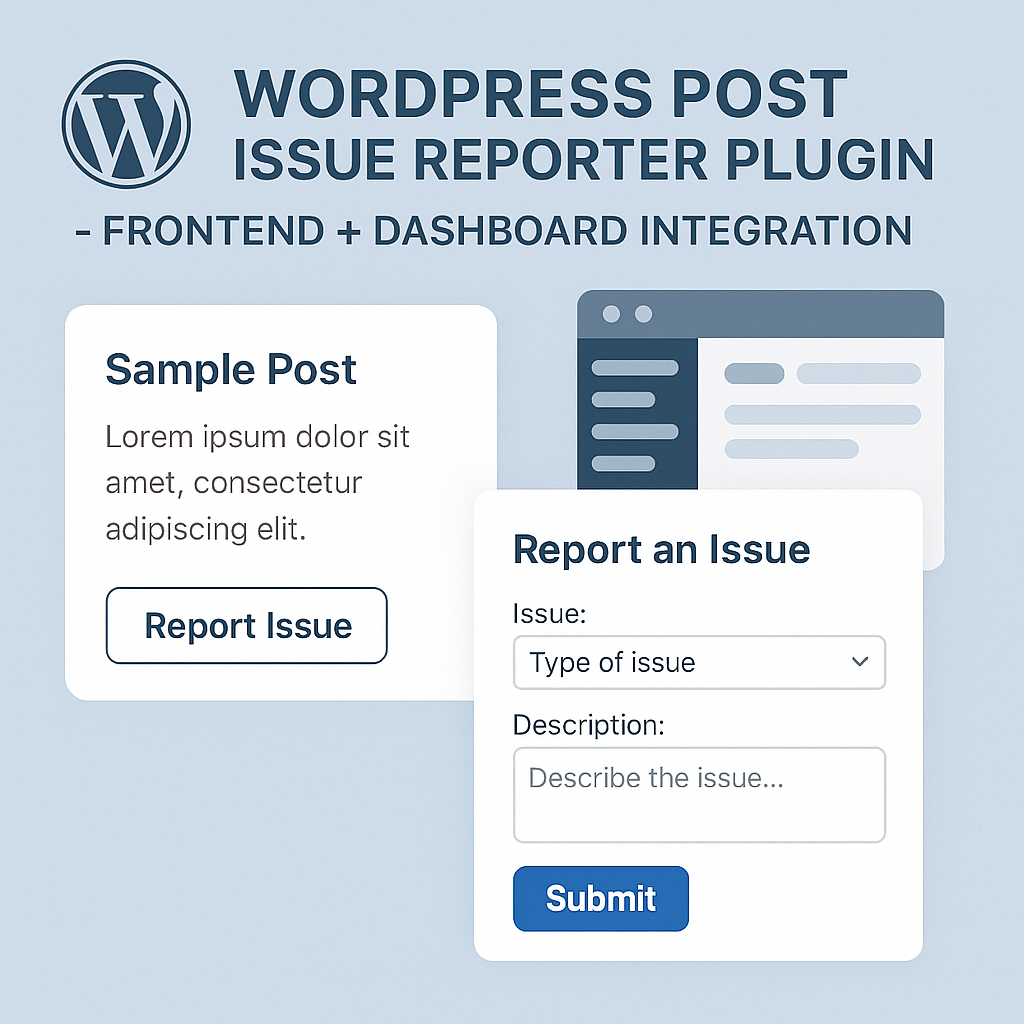
📝 Enhance your WordPress site with a custom post issue reporter plugin. Let users report problems directly from post pages, then review and manage these reports from your dashboard with a clear button for easy maintenance.
🛠️ WordPress Post Issue Reporter Plugin – Frontend + Dashboard Integration
Maintaining a high-quality WordPress blog means fixing problems quickly and nothing helps more than direct feedback from your users. In this tutorial, we’ll walk you through a complete solution for collecting post-related issue reports via a small frontend form and viewing them from a custom dashboard widget. You’ll also learn how to manage these reports, including clearing them with a single click.
This is a simple yet powerful plugin for site admins who want to monitor and improve user experience by allowing quick error reporting like “image not loading” or “code broken.” Let’s dive in.
💡 What This Issue Reporter Plugin Does
This custom plugin adds:
- A small frontend report form beneath every single post.
- A form that accepts messages (limited to 5 words/50 characters).
- Automatic storage of the submitted messages.
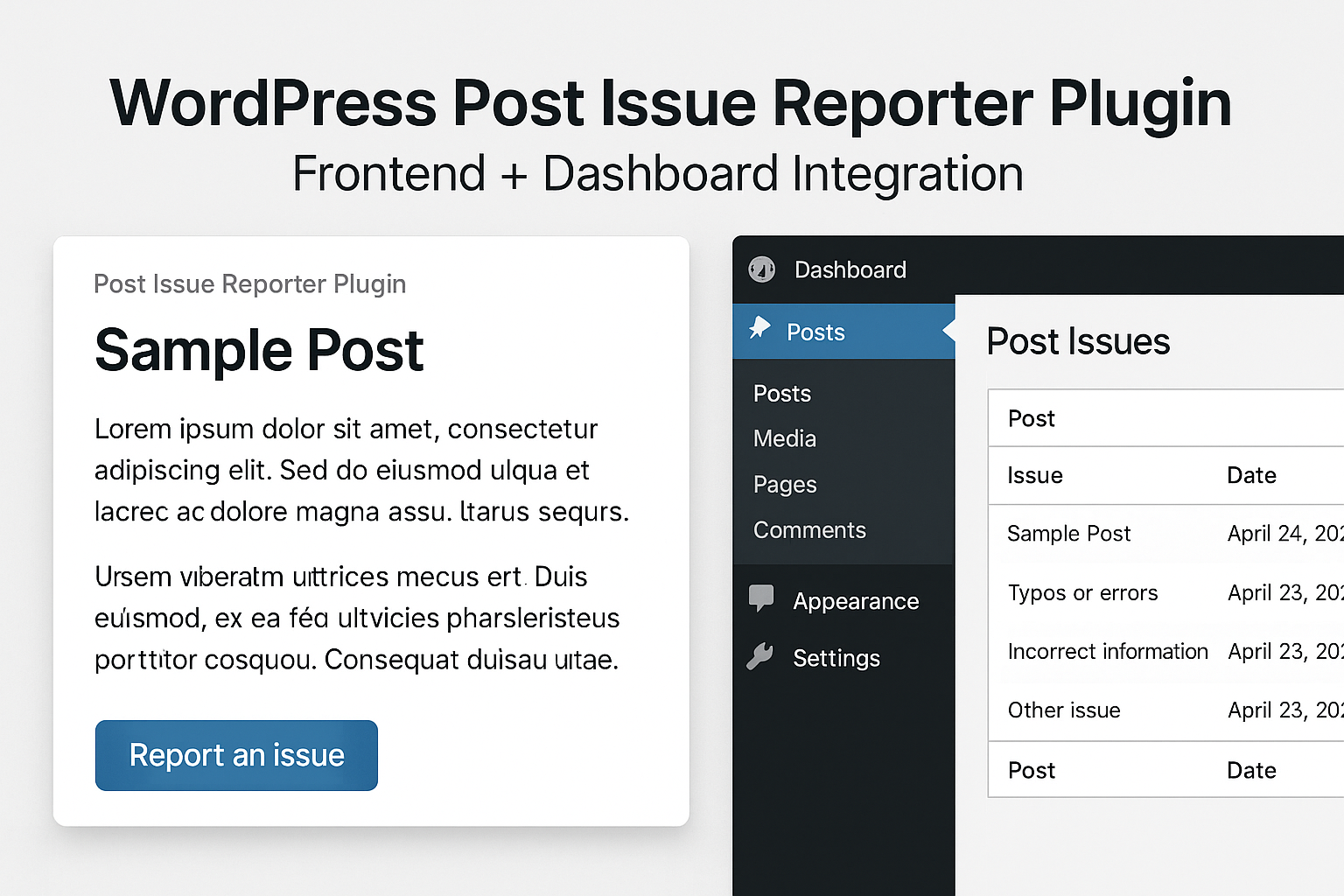
- A dashboard widget listing all reports.
- A clear-all button in the dashboard to delete past reports.
- Basic anti-resubmission via redirect and success message.
It’s lightweight, efficient, and works without additional dependencies.
🧩 Full PHP Plugin Code: Post Issue Reporter
Here is the complete code snippet you can build into a standalone plugin file.
<?php
/**
 * Plugin Name: Post Issue Reporter with Dashboard + Yellow Light Button
 * Description: Adds a report box with a flashing yellow light inside the report button. Admin dashboard widget lists all reports with a clear button.
 * Version: 1.1
 * Author: HelpZone
 */

defined('ABSPATH') || exit;

function enable_post_issue_reporting_feature() {

    // 1. Add report box to each post
    add_filter('the_content', function ($content) {
        if (is_single() && is_main_query()) {
            $message = '';
            if (get_transient('post_issue_reported_' . get_the_ID())) {
                $message = '<p style="color: green; font-weight: bold;">Thank you! Report submitted.</p>';
                delete_transient('post_issue_reported_' . get_the_ID());
            }

            $form = '
                <style>
                    .yellow-light {
                        display: inline-block;
                        width: 12px;
                        height: 12px;
                        margin-right: 8px;
                        border-radius: 50%;
                        background-color: yellow;
                        box-shadow: 0 0 10px rgba(255, 255, 0, 0.7);
                        animation: flash-yellow 1s infinite alternate;
                        vertical-align: middle;
                    }
                    @keyframes flash-yellow {
                        0% {
                            opacity: 1;
                            box-shadow: 0 0 20px rgba(255, 255, 0, 1);
                        }
                        100% {
                            opacity: 0.2;
                            box-shadow: 0 0 5px rgba(255, 255, 0, 0.2);
                        }
                    }
                    .report-btn {
                        padding: 6px 12px;
                        font-size: 14px;
                        font-weight: bold;
                        display: inline-flex;
                        align-items: center;
                        gap: 6px;
                        border: 1px solid #ccc;
                        background-color: #f1f1f1;
                        border-radius: 4px;
                        cursor: pointer;
                    }
                    .report-btn:hover {
                        background-color: #e0e0e0;
                    }
                </style>

                <div style="margin-top:30px;padding:10px;border:1px solid #ccc;background:#f9f9f9;">
                    <strong>Report an issue (max 5 words):</strong><br>
                    ' . $message . '
                    <form method="post" style="margin-top:10px;">
                        <input type="hidden" name="report_post_id" value="' . get_the_ID() . '">
                        <input type="text" name="post_issue_message" maxlength="50" style="width:70%;margin-top:5px;" placeholder="e.g. image not loading" required>
                        <button type="submit" name="submit_post_issue" class="report-btn">
                            <span class="yellow-light"></span> Report
                        </button>
                    </form>
                </div>
            ';
            return $content . $form;
        }
        return $content;
    });

    // 2. Handle submission
    add_action('init', function () {
        if (
            isset($_POST['submit_post_issue']) &&
            !empty($_POST['post_issue_message']) &&
            !empty($_POST['report_post_id'])
        ) {
            $post_id = intval($_POST['report_post_id']);
            $message = sanitize_text_field($_POST['post_issue_message']);
            $post_title = get_the_title($post_id);
            $post_url = get_permalink($post_id);

            $report = [
                'time'       => current_time('mysql'),
                'message'    => $message,
                'post_title' => $post_title,
                'post_url'   => $post_url,
                'ip'         => $_SERVER['REMOTE_ADDR']
            ];

            $reports = get_option('post_issue_reports', []);
            array_unshift($reports, $report);
            $reports = array_slice($reports, 0, 20); // Keep last 20
            update_option('post_issue_reports', $reports);

            set_transient('post_issue_reported_' . $post_id, true, 60);
            wp_safe_redirect(get_permalink($post_id));
            exit;
        }
    });

    // 3. Admin dashboard widget
    add_action('wp_dashboard_setup', function () {
        wp_add_dashboard_widget(
            'post_issue_reports',
            'User Reported Post Issues',
            function () {
                if (isset($_POST['clear_post_issue_reports']) && current_user_can('manage_options')) {
                    delete_option('post_issue_reports');
                    echo '<div style="color: green; font-weight: bold;">All reports have been cleared.</div>';
                }

                $reports = get_option('post_issue_reports', []);
                if (empty($reports)) {
                    echo '<p>No issues reported yet.</p>';
                } else {
                    echo '<ul style="padding-left:15px;">';
                    foreach ($reports as $report) {
                        echo '<li style="margin-bottom:10px;">
                            <strong>' . esc_html($report['message']) . '</strong><br>
                            <a href="' . esc_url($report['post_url']) . '" target="_blank">' . esc_html($report['post_title']) . '</a><br>
                            <small>Reported at ' . esc_html($report['time']) . ' from IP: ' . esc_html($report['ip']) . '</small>
                        </li>';
                    }
                    echo '</ul>';

                    echo '
                        <form method="post" style="margin-top:15px;">
                            <input type="submit" name="clear_post_issue_reports" value="Clear All Reports" class="button button-secondary" onclick="return confirm('Are you sure you want to delete all reports?')">
                        </form>
                    ';
                }
            }
        );
    });

}

// Activate the plugin
enable_post_issue_reporting_feature();
🧩 Full PHP Function Code: Post Issue Reporter
Here is the complete code snippet you can place in your theme’s functions.php.
function enable_post_issue_reporting_feature() {

    // 1. Add report box under each post
    add_filter('the_content', function ($content) {
        if (is_single() && is_main_query()) {
            $message = '';
            if (get_transient('post_issue_reported_' . get_the_ID())) {
                $message = '<p style="color: green; font-weight: bold;">Thank you! Report submitted.</p>';
                delete_transient('post_issue_reported_' . get_the_ID());
            }

            $form = '
                <style>
                    .yellow-light {
                        display: inline-block;
                        width: 12px;
                        height: 12px;
                        margin-right: 8px;
                        border-radius: 50%;
                        background-color: yellow;
                        box-shadow: 0 0 10px rgba(255, 255, 0, 0.7);
                        animation: flash-yellow 1s infinite alternate;
                        vertical-align: middle;
                    }
                    @keyframes flash-yellow {
                        0% {
                            opacity: 1;
                            box-shadow: 0 0 20px rgba(255, 255, 0, 1);
                        }
                        100% {
                            opacity: 0.2;
                            box-shadow: 0 0 5px rgba(255, 255, 0, 0.2);
                        }
                    }
                    .report-btn {
                        padding: 6px 12px;
                        font-size: 14px;
                        font-weight: bold;
                        display: inline-flex;
                        align-items: center;
                        gap: 6px;
                        border: 1px solid #ccc;
                        background-color: #f1f1f1;
                        border-radius: 4px;
                        cursor: pointer;
                    }
                    .report-btn:hover {
                        background-color: #e0e0e0;
                    }
                </style>

                <div style="margin-top:30px;padding:10px;border:1px solid #ccc;background:#f9f9f9;">
                    <strong>Report an issue (max 5 words):</strong><br>
                    ' . $message . '
                    <form method="post" style="margin-top:10px;">
                        <input type="hidden" name="report_post_id" value="' . get_the_ID() . '">
                        <input type="text" name="post_issue_message" maxlength="50" style="width:70%;margin-top:5px;" placeholder="e.g. image not loading" required>
                        <button type="submit" name="submit_post_issue" class="report-btn">
                            <span class="yellow-light"></span> Report
                        </button>
                    </form>
                </div>
            ';
            return $content . $form;
        }
        return $content;
    });

    // 2. Handle form submission and save report
    add_action('init', function () {
        if (
            isset($_POST['submit_post_issue']) &&
            !empty($_POST['post_issue_message']) &&
            !empty($_POST['report_post_id'])
        ) {
            $post_id = intval($_POST['report_post_id']);
            $message = sanitize_text_field($_POST['post_issue_message']);
            $post_title = get_the_title($post_id);
            $post_url = get_permalink($post_id);

            $report = [
                'time'       => current_time('mysql'),
                'message'    => $message,
                'post_title' => $post_title,
                'post_url'   => $post_url,
                'ip'         => $_SERVER['REMOTE_ADDR']
            ];

            $reports = get_option('post_issue_reports', []);
            array_unshift($reports, $report);
            $reports = array_slice($reports, 0, 20);
            update_option('post_issue_reports', $reports);

            set_transient('post_issue_reported_' . $post_id, true, 60);
            wp_safe_redirect(get_permalink($post_id));
            exit;
        }
    });

    // 3. Add admin dashboard widget
    add_action('wp_dashboard_setup', function () {
        wp_add_dashboard_widget(
            'post_issue_reports',
            'User Reported Post Issues',
            function () {
                if (isset($_POST['clear_post_issue_reports']) && current_user_can('manage_options')) {
                    delete_option('post_issue_reports');
                    echo '<div style="color: green; font-weight: bold;">All reports have been cleared.</div>';
                }

                $reports = get_option('post_issue_reports', []);
                if (empty($reports)) {
                    echo '<p>No issues reported yet.</p>';
                } else {
                    echo '<ul style="padding-left:15px;">';
                    foreach ($reports as $report) {
                        echo '<li style="margin-bottom:10px;">
                            <strong>' . esc_html($report['message']) . '</strong><br>
                            <a href="' . esc_url($report['post_url']) . '" target="_blank">' . esc_html($report['post_title']) . '</a><br>
                            <small>Reported at ' . esc_html($report['time']) . ' from IP: ' . esc_html($report['ip']) . '</small>
                        </li>';
                    }
                    echo '</ul>
                        <form method="post" style="margin-top:15px;">
                            <input type="submit" name="clear_post_issue_reports" value="Clear All Reports" class="button button-secondary" onclick="return confirm('Are you sure you want to delete all reports?')">
                        </form>';
                }
            }
        );
    });
}

// Run it
enable_post_issue_reporting_feature();
📌 How to Install and Use
Option A: Add to Theme’s functions.php
Copy the code and paste it at the end of your active child theme’s functions.php file. Don’t forget to back up your site before doing this.
Option B: Create a Issue Reporter Plugin
- Go to
/wp-content/plugins/. - Create a folder like
post-issue-reporter/. - Inside it, create a file called
post-issue-reporter.php. - Paste the entire code inside and save.
- Activate it from the WordPress Admin → Plugins panel.
🔍 Tips for Customization
- Limit to logged-in users: Add
current_user_can('read')check in the form handler. - Send email on report: Use
wp_mail()to notify the admin. - Export reports: Add CSV export functionality in the widget.
- Report categories: Add a dropdown for “image issue”, “broken code”, etc.
✅ Benefits of This Issue Reporter Plugin
- Lightweight: Doesn’t rely on external libraries.
- Easy to use: Intuitive for users and admin.
- Scalable: Stores up to 20 reports, can be expanded.
- Dashboard integration: No need to visit multiple pages.
- Secure: Uses WordPress sanitization functions.
📉 Limitations
- Only stores 20 latest reports.
- Does not log user agents.
- No email notifications by default.
- Not styled for advanced themes basic HTML.
🔄 Future Enhancements
- AJAX form submission.
- Admin notification system.
- Tag reports with post categories.
- Log user login if available.
🧪 Test Scenarios
| Scenario | Expected Outcome |
|---|---|
| Submitting short message | Success confirmation + stored in widget |
| Refreshing post page | No duplicate submissions |
| Submitting empty field | Blocked by required field |
| Admin clicks “Clear All” | All reports deleted instantly |
🔔For more tutorials like this, consider subscribing to our blog.
📩 Do you have questions or suggestions? Leave a comment or contact us!
🏷️ Tags: WordPress plugin, post reporter, dashboard widget, user feedback, WordPress tutorial, PHP plugin, form handling, post monitoring, site maintenance, bug report
📢 Hashtags: #WordPressDev, #BugReporting, #WordPressTips, #WPPlugin, #UserFeedback, #WordPressDashboard, #WebDev, #CodeSnippets, #PluginDevelopment, #BlogOptimization
Final Thoughts
The ability to gather real-time user feedback directly on your WordPress posts empowers you to keep your content clean, accurate, and engaging. This simple yet effective plugin can be a game-changer for bloggers, developers, and content managers alike. Try it today, adapt it to your needs, and never miss a broken post again.
