


⏲️ Estimated reading time: 7 min
Table of Contents
Discover how to access today’s Google Trends searches and understand what people are searching for right now. This complete guide explains real-time trends, daily searches, regional insights, and smart ways to use Google Trends for SEO, content creation, and marketing decisions.
How to Access Today’s Google Trends Searches Easily. Understanding What Google Trends Really Is
Google created Google Trends to show how search interest changes over time. It does not reveal exact search numbers. Instead, it shows relative popularity on a scale from 0 to 100.
Google Trends reflects curiosity, fear, excitement, and global attention in real time. When something happens in the world, searches react instantly.
This makes Google Trends one of the most powerful free tools for:
- Bloggers and publishers
- SEO specialists
- Journalists
- Marketers
- Researchers
- Curious users
Understanding how to access today’s searches is the key difference between guessing and publishing content that actually gets traffic.
Why Today’s Google Trends Searches Matter More Than Ever
Search behavior has changed dramatically. People no longer wait days to search. They react within minutes.
Trending searches today often relate to:
- Breaking news
- Viral social media moments
- Sports events
- Celebrity controversies
- Technology launches
- Weather disasters
If you publish while interest is rising, Google may reward you with fast indexing and short-term traffic spikes.
Timing is everything.
Where Google Trends Gets Its Data From
Google Trends data comes directly from:
- Google Search
- Google Images
- Google News
- Google Shopping
- YouTube
It filters spam, repeated searches, and bots. The system then normalizes results so trends can be compared fairly across regions and time periods.
How to Access Today’s Google Trends Searches Step by Step
Accessing Google Trends the Right Way
Start by visiting the official Google Trends platform:
Google Trends
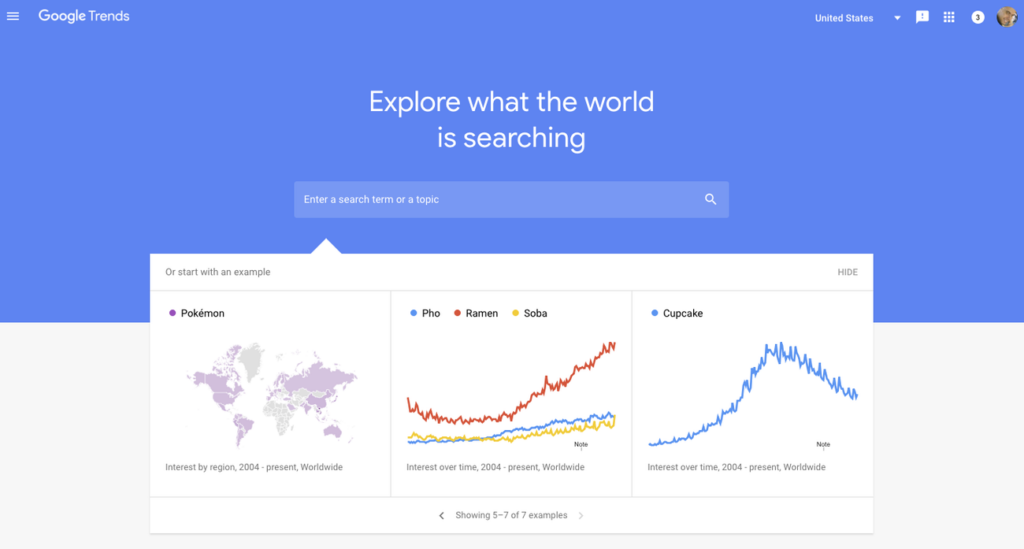
Once there, you will see a clean dashboard focused on what’s trending right now.
Using the “Trending Searches” Section
The fastest way to see today’s searches is the Trending Searches area.
This section shows:
- Searches trending in the last 24 hours
- Real-time trending topics
- Search volume growth
- Related news articles
You can switch between Daily Trends and Real-Time Trends.

Difference Between Daily Trends and Real-Time Trends
Daily Search Trends Explained
Daily Trends show the most popular searches for the current day.
They include:
- Estimated search interest
- Location-based data
- Context from news stories
Daily trends update continuously but focus on broader topics.
Real-Time Search Trends Explained
Real-Time Trends show topics gaining attention right now.
These trends update every few minutes and are grouped into categories like:
- Business
- Entertainment
- Health
- Sports
- Technology
If speed matters, this is where you should look.
How to Filter Google Trends by Country
Search behavior differs dramatically by region.
Google Trends lets you filter by:
- Country
- Region
- City
This is essential if your website targets a specific audience.
For example:
- A trend exploding in the US may not exist in Europe
- Local news trends can outperform global topics
Always match trends to your target audience.
How to Search for a Topic Manually
Not everything appears in trending lists.
You can manually search for any keyword and set:
- Time range: past hour, 24 hours, 7 days, 30 days
- Location
- Search type
This helps confirm whether interest is rising or fading.
Understanding the Google Trends Graph Correctly
Many people misunderstand the graph.
Important points:
- 100 means peak popularity
- 50 means half the peak interest
- 0 does not mean zero searches
The graph compares interest relative to itself, not to other keywords.
How to Use Google Trends for SEO Content Ideas
Google Trends is an SEO goldmine when used correctly.
You can:
You may also be interested in: Top Famous Restaurants in London
- Discover rising keywords before competition
- Validate blog topic ideas
- Find seasonal content opportunities
- Avoid dead topics
Always combine Google Trends with keyword tools for best results.
Using Google Trends to Find Long-Tail Keywords
Scroll down to Related Queries.
You will see:
- Top queries
- Rising queries
Rising queries marked as “Breakout” often explode by over 5000%.
These are perfect for:
- Blog posts
- YouTube titles
- News articles
How Journalists Use Google Trends Daily
Journalists rely on Google Trends to:
- Spot breaking stories early
- Measure public interest
- Decide headline angles
If a topic spikes suddenly, it often becomes tomorrow’s headline.
Using Google Trends for YouTube and Video Content
Google Trends supports YouTube search data.
This helps creators:
- Choose video topics
- Time uploads correctly
- Target trending questions
Search trends often predict YouTube virality.
How Marketers Use Google Trends for Campaigns
Marketers analyze trends to:
- Launch ads during peak interest
- Align promotions with public attention
- Avoid wasting ad budgets
A campaign timed with a trend can outperform traditional strategies.
Limitations of Google Trends You Must Understand
Google Trends is powerful, but not perfect.
Limitations include:
- No exact search volumes
- Short-term spikes can disappear fast
- Not all niches trend publicly
Use it as a direction tool, not an absolute metric.
Common Mistakes People Make With Google Trends
Many users fail because they:
- Chase trends too late
- Ignore regional data
- Misread trend graphs
- Rely only on trending searches
Balance trends with evergreen content.
How Often Google Trends Updates Data
Update frequency depends on the section:
- Real-Time Trends: minutes
- Daily Trends: continuous
- Historical data: stable
This makes Google Trends reliable for live monitoring.
Best Practices for Using Google Trends Daily
To use Google Trends effectively:
- Check it at the same time each day
- Track recurring patterns
- Save important searches
- Combine with analytics
Consistency matters.
Frequently Asked Questions
What are today’s Google Trends searches?
They are the most popular search topics gaining attention today based on real user activity.
Is Google Trends free to use?
Yes, Google Trends is completely free.
Does Google Trends show exact search numbers?
No, it shows relative interest, not exact volume.
How often does Google Trends update?
Real-time trends update every few minutes.
Can Google Trends help with SEO?
Yes, it helps identify rising topics and seasonal interest.
Is Google Trends accurate?
It is reliable for trends, but not for exact metrics.
Can I filter trends by country?
Yes, you can filter by country, region, and city.
Are trending searches the same worldwide?
No, trends vary significantly by location.
Can small blogs benefit from Google Trends?
Yes, especially by publishing early on rising topics.
Using Google Trends Effectively
Google Trends is not just a curiosity tool. It is a real-time mirror of human attention.
When you learn how to access today’s searches correctly, you gain an advantage. You stop guessing and start responding to real demand.
Used wisely, Google Trends can:
- Increase traffic
- Improve SEO decisions
- Inspire timely content
The key is speed, context, and consistency.
📚 Sources
Google Trends platform, Google Search documentation, SEO best-practice studies
Digital marketers, SEO specialists, journalism trend analysis reports
⚠️ Disclaimer and Source Hygiene
This article is for informational purposes only. Trends data is based on publicly available information provided by Google. Always combine trend analysis with professional SEO tools and expert judgment before making strategic decisions.
🔔 For more tutorials like this, consider subscribing to our blog.
📩 Do you have questions or suggestions? Leave a comment or contact us!
🏷️ Tags: google trends, trending searches, seo tools, keyword research, search trends, digital marketing, content strategy, blogging tips, online trends, search analytics
📢 Hashtags: #GoogleTrends, #TrendingSearches, #SEOtips, #ContentMarketing, #KeywordResearch, #BloggingTips, #DigitalMarketing, #SearchTrends, #OnlineVisibility, #SEOStrategy
