

⏲️ Estimated reading time: 4 min
Table of Contents
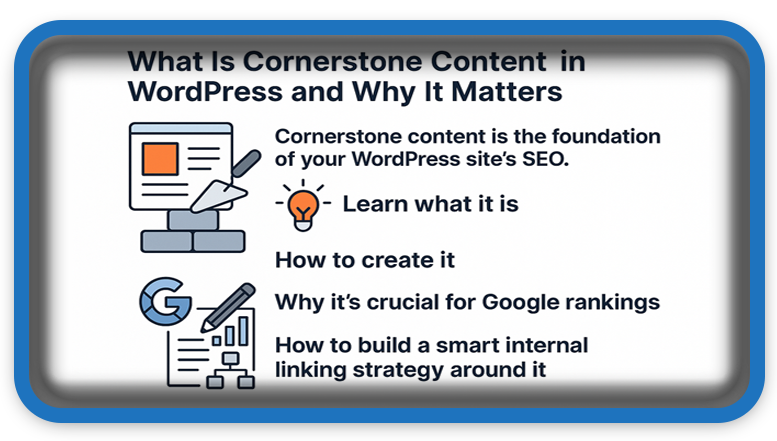
What Is Cornerstone Content in WordPress and Why It Matters. Cornerstone content is the foundation of your WordPress site’s SEO. Learn what it is, how to create it, why it’s crucial for Google rankings, and how to build a smart internal linking strategy around it to increase your organic traffic.
🧱 What Is Cornerstone Content in WordPress?
Read also: Every man dies, but not every man truly lives
Refers to the most important, comprehensive, and authoritative articles on your WordPress website. These are the key pages you want to rank highest in search engines, as they represent the main themes or pillars of your site.
This content connects and supports your other posts, making it easier for both users and search engines to understand what your site is all about.
🔍 Why Is Cornerstone Content Important?
Here’s why is essential for any serious website:
- ✅ Google loves structure. Provides a clear roadmap for search engine crawlers.
- ✅ Builds SEO authority. It concentrates internal links around your most valuable content.
- ✅ Guides your readers. It helps visitors navigate your site and find key information.
- ✅ Increases time-on-site. Well-structured keeps users engaged longer.
🧠 What Does Cornerstone Content Look Like?
Cornerstone articles typically have the following traits:
- Length of 1000–2000+ words
- Strong use of headings and subheadings
- Links out to smaller, supporting articles
- Regularly updated with fresh info
- Fully SEO optimized (title, meta description, keyword focus)
Example: On a nutrition blog, a cornerstone article could be:
“The Ultimate Guide to Healthy Eating”
…which links to posts like “What Are Proteins?”, “Why Fiber Matters”, and “Top 10 Superfoods”.
⚙️ How to Set a Cornerstone Article in WordPress
1. Use the Yoast SEO Plugin
If you use Yoast SEO, you can mark an article as cornerstone:
- Open the article in the editor
- Scroll down to the Yoast SEO section
- Enable: “This article is cornerstone content”
- Yoast will apply stricter SEO checks to it
2. Optimize Internal Linking
- Make sure related posts link to your cornerstone content
- This helps build topical authority and improves ranking
3. Place It in Menus or on the Homepage
- Should be easily accessible
- Add it to your site’s main menu or feature it on your homepage
📋 Examples of Cornerstone Content by Niche
| Blog Type | Example Cornerstone Article |
|---|---|
| Fitness Blog | “Beginner’s Full Body Workout Plan” |
| Travel Blog | “Top Places to Visit in Europe This Summer” |
| Tech Blog | “The Complete Guide to Buying a High-Performance Laptop” |
| WordPress Blog (like HelpZone) | “How to Optimize a WordPress Site for SEO” |
📈 Long-Term Benefits
Creating and maintaining cornerstone articles provides major long-term SEO advantages:
- Increased organic traffic
- Higher topical authority
- A clearer website structure for both Google and users
- Better conversion rates if used to educate or funnel readers
🛠️ Tips for Effective Cornerstone Content
- Write unique, valuable, and well-researched content
- Target specific keyword phrases
- Use internal links to drive traffic
- Update it regularly with new stats, info, or media
- Add visuals like images, videos, or infographics
🧩 Integrate Cornerstone Content into Your Strategy
You can have multiple cornerstone articles, especially if your site covers different core topics. Make sure each:
- Has a clearly defined theme
- Is supported by related content
- Is strategically placed across your site
🏁 Final Thoughts…
Cornerstone content is the backbone of your WordPress SEO strategy. It’s not just a blog post it’s a pillar, a hub of knowledge that helps define your expertise and build authority online.
🔔 For more tutorials like this, consider subscribing to our blog.
📩 Do you have questions or suggestions? Leave a comment or contact us!
🏷️ Tags: WordPress, SEO, cornerstone content, Yoast SEO, internal linking, SEO strategy, pillar content, blogging tips, site structure, Google rankings
📢 Hashtags: #WordPressTips, #SEO, #CornerstoneContent, #YoastSEO, #ContentStrategy, #InternalLinks, #BloggingTools, #SiteStructure, #SEOContent, #WordPressSEO
🔚 Strategic Content Core
A cornerstone article isn’t just long-form content it’s a strategic investment in your website’s future. Start by choosing one main topic, create a strong cornerstone post, and build your supporting content around it. Over time, this will significantly improve your visibility, authority, and engagement.
