

⏲️ Estimated reading time: 9 min
Table of Contents
Yoast SEO Helper – Fine-Tune Yoast Without Duplicate Meta Tags. Do you want the full power of Yoast but also fine control over special meta tags? This guide shows you how to add a “Yoast SEO Helper” that gracefully complements Yoast with robots rules, Twitter handles, and fallback descriptions without duplicates.
Yoast SEO covers around 80–90% of a site’s SEO needs: titles, meta descriptions, canonical tags, XML sitemaps, schema markup, Open Graph, Twitter Cards, breadcrumbs, and more. It’s one of the most powerful plugins in the WordPress ecosystem.
But what if you want finer control over specific aspects? For example:
- Forcing
noindex,followon search and 404 pages. - Adding a global
twitter:sitehandle. - Generating a fallback meta description if you leave Yoast’s field empty.
These cases are too small to justify another heavy plugin, but they can be handled perfectly with a small Yoast SEO Helper script.
In this article, you’ll get a complete helper code, detailed explanations, a testing checklist, troubleshooting tips, and best practices to make sure Yoast remains the primary SEO engine while still giving you surgical precision where you need it.
Why Choose a Helper Instead of Another SEO Plugin?
See also: Deva Cassel: Rising Star and Daughter of Monica Bellucci
- Maximum Compatibility. Instead of replacing Yoast, the helper integrates with it. You avoid conflicts with canonical tags, schema, or Open Graph.
- Better Performance. A few targeted hooks are much lighter than running another SEO plugin with dozens of options.
- Focused Control. You only add rules for real-world cases: robots meta for search/404, a global Twitter handle, fallback descriptions.
- Easy Maintenance. Just one PHP file, easy to version-control and adapt for future needs.
What This Yoast SEO Helper Does
- Forces
noindex,followon sensitive pages (search results and 404 errors) using thewpseo_robotsfilter. - Sets global Twitter metadata (
twitter:siteandtwitter:creator) for consistent branding. - Adds fallback meta descriptions when Yoast’s field is empty. The fallback logic is: excerpt → cleaned content → post title.
- Provides a backup
twitter:cardmeta tag (summary) for single posts without featured images, ensuring clean previews on Twitter.
All of this works only when Yoast is active, checks existing Yoast output, and never duplicates tags.
The Complete Code: af-seo-helper.php
Create a new file in your child theme (or in a custom plugin) named af-seo-helper.php and paste this code:
<?php
/**
 * Yoast-friendly SEO helper by Andrei Florin
 * Runs only when Yoast is active. Complements/overrides in a safe way.
 * Version: 1.0
 */

if ( ! defined('ABSPATH') ) exit;

add_action('plugins_loaded', function () {

    // Run ONLY if Yoast SEO is active
    if ( ! defined('WPSEO_VERSION') ) {
        return;
    }

    /**
     * 1) Robots on sensitive pages (search/404)
     */
    add_filter('wpseo_robots', function ($robots) {
        if ( is_search() || is_404() ) {
            return 'noindex,follow';
        }
        return $robots;
    });

    /**
     * 2) Twitter: site & creator set your global handle
     */
    add_filter('wpseo_twitter_site', function ($handle) {
        $default = '@AF_on_X';
        return apply_filters('af_twitter_handle', $default);
    });

    add_filter('wpseo_twitter_creator_account', function ($handle) {
        $default = '@AF_on_X';
        return apply_filters('af_twitter_handle', $default);
    });

    /**
     * 3) Fallback meta description when Yoast is empty
     */
    add_filter('wpseo_metadesc', function ($desc) {
        if ( ! empty($desc) ) {
            return $desc;
        }

        $mb_trim = function ($text, $limit = 160) {
            $text = wp_strip_all_tags( (string) $text, true );
            if ( function_exists('mb_substr') ) {
                return trim( mb_substr($text, 0, $limit) );
            }
            return trim( substr($text, 0, $limit) );
        };

        if ( is_front_page() || is_home() ) {
            $fallback = get_bloginfo('description') ?: 'Insights on WordPress, tech, travel and more.';
            return $mb_trim( $fallback, 160 );
        }

        if ( is_singular() ) {
            global $post;
            if ( $post instanceof WP_Post ) {
                $raw = $post->post_excerpt ?: get_the_excerpt($post);
                if ( ! $raw ) {
                    $raw = wp_trim_words( wp_strip_all_tags($post->post_content, true), 32, '…' );
                }
                $fallback = $raw ?: get_the_title($post);
                return $mb_trim( $fallback, 160 );
            }
            return $desc;
        }

        $archive_desc = get_the_archive_description();
        if ( $archive_desc ) {
            return $mb_trim( $archive_desc, 160 );
        }

        return $mb_trim( wp_get_document_title(), 160 );
    });

    /**
     * 4) Backup Twitter card for posts without featured image
     */
    add_action('wp_head', function () {
        if ( is_singular() && ! has_post_thumbnail() ) {
            echo "<meta name="twitter:card" content="summary" />n";
        }
    }, 999);

}, 1);
Now load the helper from your child theme’s functions.php:
require_once get_stylesheet_directory() . '/af-seo-helper.php';
How to Check if It Works
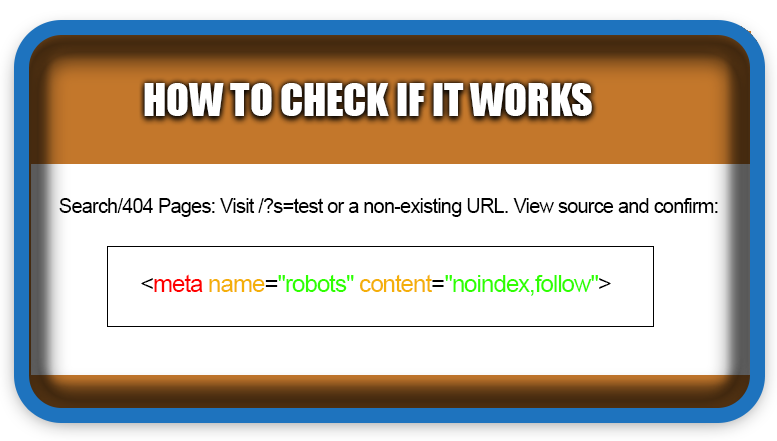
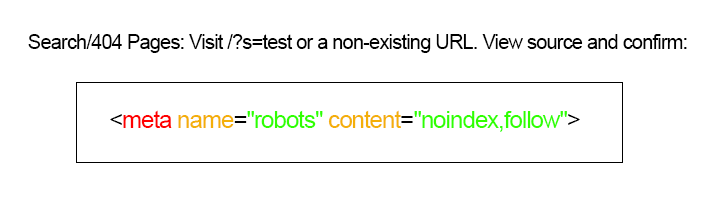
- Search/404 Pages: Visit
/?s=testor a non-existing URL. View source and confirm:<meta name="robots" content="noindex,follow"> - Fallback Meta Description: Leave the Yoast meta description field empty on a post. Check source:
<meta name="description" content="...">You should see text generated from the excerpt/content/title. - Twitter Handle: In page source:
<meta name="twitter:site" content="@AF_on_X"> <meta name="twitter:creator" content="@AF_on_X"> - Twitter Card: On a post without a featured image, check:
<meta name="twitter:card" content="summary"> - External Tools:
Frequently Asked Questions (FAQ)
1. Won’t this create duplicate meta tags?
No. The helper hooks into Yoast filters and only fills gaps. It doesn’t output <title> or canonical tags, so you won’t get conflicts.
2. Why not just disable Yoast and use only my own SEO code?
You could, but you’d lose schema markup, XML sitemaps, canonical handling, breadcrumbs, and the convenient SEO UI inside WordPress.
3. Can I also force noindex on paginated archives?
Yes, just extend the filter:
add_filter('wpseo_robots', function ($robots) {
    if ( is_search() || is_404() || is_paged() ) return 'noindex,follow';
    return $robots;
});
4. Does Yoast not already create meta descriptions from content?
Yoast can generate excerpts, but behavior is inconsistent. This helper ensures a consistent, multibyte-safe fallback when you leave the field blank.
5. How do I handle multilingual fallback text?
Replace the default fallback with localized text, or use WPML/Polylang filters to return different strings based on language.
Best Practices to Avoid SEO Issues
- Don’t override Yoast’s main tags like
<title>or canonical. - Be specific: target only search, 404, or posts without descriptions.
- Check after Yoast updates: hooks may change.
- Use
noindexcarefully: fine for search/404, not for valuable archives. - Validate with tools regularly.
Troubleshooting Tips
- No changes visible?
– Clear caching plugins and CDN cache.
– Check ifrequire_onceis loaded correctly.
– Ensure Yoast is active. - Duplicate descriptions?
– Make sure helper doesn’t return a value if Yoast already provided one. - Twitter handle not showing on share?
– Twitter may cache. Re-validate with Card Validator.
Real Use Cases
- Old blog with missing descriptions: fallback ensures every page has a meta description, improving CTR.
- Search results in Google: prevent weak search pages from indexing with
noindex,follow. - Consistent branding: Twitter handle always present, even if someone forgets to set it.
- Posts without images: Twitter preview still looks clean with a
summarycard.
How to Extend Further
- Add a default OG image when no featured image exists.
- Add robots rules for special pages like
/thank-you/or/cart/. - Insert extra Open Graph tags like
og:see_alsoorarticle:tag. - Store the Twitter handle in Customizer or Options page for easy editing.
Final Thoughts
Yoast SEO should remain your main SEO engine in WordPress: schema, sitemap, canonical tags, and editing UI are invaluable. But with a small Yoast SEO Helper, you can gain precise control where Yoast doesn’t give you direct settings.
The best of both worlds: power + precision.
⚠️ Disclaimer and Source Hygiene
Disclaimer for “Fine-Tune SEO Yoast” Article
This article provides educational content for informational purposes only. The author and publisher are not responsible for any consequences resulting from the implementation of the described code or techniques on your WordPress website.
⚠ Critical Considerations Before Implementation:
- Backup Your Site: Always create a complete backup of your WordPress database and files before adding any custom code, especially code that modifies core SEO functionality.
- Yoast SEO Dependency: This helper code is designed to work only when the Yoast SEO plugin is active. It will not function correctly (and will be disabled) if Yoast SEO is deactivated or not installed.
- Test in Staging: It is strongly recommended to test the provided code in a staging or development environment before applying it to your live production site.
- Plugin Updates & Compatibility: Yoast SEO updates may change their internal filters and hooks. This could cause the helper code to stop working or behave unexpectedly. You are responsible for testing compatibility after any major Yoast SEO update.
- Code Liability: The code snippet is provided “as-is.” The author and publisher disclaim all liability for any SEO issues, site errors, conflicts with other plugins, or unintended consequences (such as incorrect meta tags, indexing problems, or site malfunctions) that may arise from its use.
- No Guarantee of SEO Results: Implementing this code does not guarantee improvements in search rankings, click-through rates, or social media engagement. SEO success depends on numerous complex factors.
- Duplicate Content Risk: While the code is designed to avoid duplication, incorrect implementation or conflicts with other plugins/themes could result in duplicate meta tags, which may harm your SEO. You are responsible for verifying your page source after implementation.
- Validation Required: You must use tools like Google Rich Results Test, Twitter Card Validator, and review your page source to ensure the code outputs the intended tags correctly and without conflicts.
- Customization Responsibility: If you modify the code (e.g., changing the Twitter handle, adding new rules), you assume full responsibility for the functionality and output of those modifications.
General Advisory: This guide is intended for WordPress users with technical knowledge of PHP, theme/plugin development, and SEO fundamentals. If you are not comfortable editing theme files or understanding filter hooks, consult with a qualified developer.
By choosing to implement this “Yoast SEO Helper” code, you acknowledge that you are doing so at your own risk and agree that the author, publisher, and all affiliated parties are held harmless from any and all direct or indirect damages.
🔔 For more tutorials like this, consider subscribing to our blog.
📩 Do you have questions or suggestions? Leave a comment or contact us!
🏷️ Tags: Yoast SEO, WordPress SEO, meta description, robots noindex, Twitter Cards, Open Graph, SEO filters, WordPress child theme, SEO helper, WordPress performance
📢 Hashtags: #YoastSEO, #WordPress, #SEO, #OpenGraph, #TwitterCards, #MetaDescription, #Robots, #GeneratePress, #SiteKit, #WebPerformance

The ‘always verify your page source after implementation’ rule is the key takeaway here — duplicate meta descriptions from Yoast and the theme fighting each other is a classic conflict I’ve run into too. The PHP filter-hook approach is clean. I’d add: after fixing, validate with the Rich Results Test as you mentioned, and spot-check a few templates (posts, pages, archives) since duplicates often hide on archive pages. Solid technical guide.