


⏲️ Estimated reading time: 5 min
Table of Contents
Learn how to install and use the FC Companion App step by step. This beginner-friendly guide covers setup, trading, squad management, SBCs, and expert tips to maximize your Ultimate Team experience anytime, anywhere.
FC Companion App: Complete Beginner to Pro Guide. What Is the FC Companion App and Why It Matters
The FC Companion App is an official tool from Electronic Arts that allows you to manage your Ultimate Team without opening your console or PC.
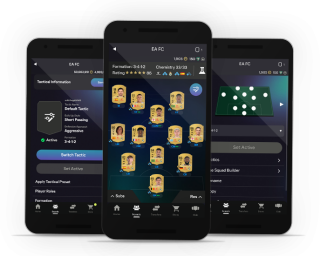
It connects directly to your EA Sports FC account and gives you full control over your club.
Why Players Use It Daily
- Trade players faster than console users
- Complete SBCs anytime
- Open packs instantly
- Manage squads on the go
- Monitor market trends
In short, it gives you a competitive advantage.
How to Download and Install the FC Companion App
Step 1: Choose Your Device
The app is available on:
- iPhone (iOS)
- Android devices
Where to Download
- App Store (for iPhone)
- Google Play Store (for Android)
Search for: “EA Sports FC Companion”
Step 2: Install the App
Tap Install and wait for the download to finish. The app is lightweight and installs quickly on most devices.
Step 3: Log Into Your Account
Open the app and sign in using your EA account credentials.
Important Tips
- Use the same account linked to your console (PlayStation, Xbox, or PC)
- You may need email verification
- First-time login may require security confirmation
Step 4: Link Your Ultimate Team Club
Once logged in:
- Select your club
- Confirm your platform (PS, Xbox, PC)
- Wait for sync
Now you’re ready to go.
How to Use the FC Companion App (Full Breakdown)
Main Dashboard Overview
When you open the app, you’ll see:
- Club overview
- Coins balance
- Squad summary
- Objectives & rewards
Trading on the Transfer Market
How to Buy Players
Steps:
- Go to Transfers
- Search for a player
- Set filters (price, rating, league)
- Bid or Buy Now
How to Sell Players
Steps:
- Open your club
- Select a player
- Tap List on Transfer Market
- Set starting and buy now price
Pro Tip
Always check market prices before listing.
Advanced Trading Strategy (Sniping Method)
- Set a low max price
- Refresh search quickly
- Buy undervalued players instantly
- Resell for profit
This is one of the fastest ways to make coins.
Squad Building and Management
How to Edit Your Squad
- Go to Squads
- Select your active squad
- Swap players
- Adjust formation
Chemistry Tips
- Use same league players
- Match nationality
- Add chemistry styles
Good chemistry improves performance in matches.
Complete SBCs (Squad Building Challenges)
How SBCs Work
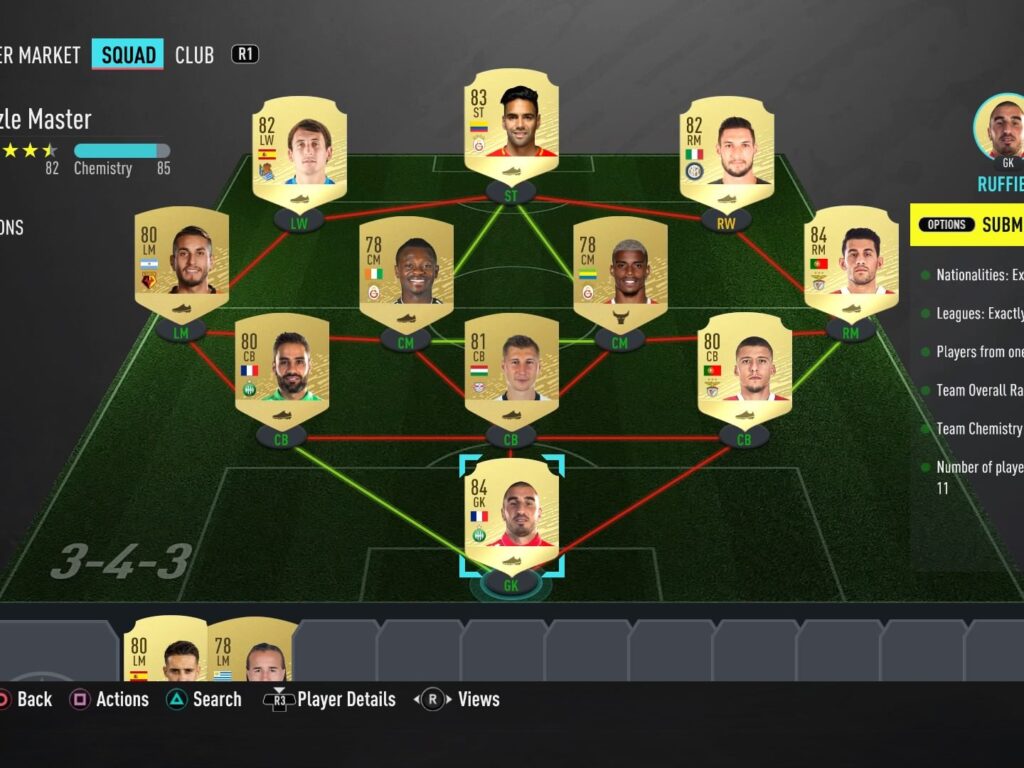
SBCs require you to build squads based on conditions.
Steps to Complete SBC
- Go to SBC section
- Choose a challenge
- Build squad using your players
- Submit and claim rewards
Why SBCs Are Important
- Earn packs
- Unlock special players
- Make coins
Opening Packs in the App
How to Open Packs
- Go to Store
- Select available packs
- Tap to open
You can instantly see your rewards and send items to club or transfer list.
Objectives and Rewards Tracking
How to Claim Rewards
- Go to Objectives
- Complete tasks
- Claim rewards
This is essential for free packs and XP.
Read also: 10 Essential WordPress Cron Jobs for a Reliable Blog
Daily Use Strategy (Best Routine)
What to Do Every Day
- Check transfer market
- List and relist players
- Complete SBCs
- Claim objectives
- Open rewards
Consistency = more coins.
Common Mistakes to Avoid
1. Selling Players Too Cheap
Always check current market value.
2. Ignoring SBC Value
Some SBCs are very profitable.
3. Not Relisting Items
Expired items don’t sell automatically.
4. Poor Chemistry Choices
Bad links reduce performance.
Pro Tips to Dominate FC Companion
Use Peak Market Times
Prices rise during events and weekends.
Invest in Meta Players
Meta players sell faster and higher.
Track Price Trends
Watch daily fluctuations.
Be Patient
Trading takes time but pays off.
Frequently Asked Questions
1. Is the FC Companion App free?
Yes, it is completely free to download and use.
2. Can I play matches on the app?
No, you can only manage your club, not play games.
3. Why can’t I access the transfer market?
You must unlock it by playing on console first.
4. Is it safe to use?
Yes, it is officially developed by Electronic Arts.
5. Can I make coins using the app?
Yes, trading and SBCs are the main methods.
6. Does it work offline?
No, you need an internet connection.
7. Can I open packs on the app?
Yes, all packs can be opened instantly.
8. What is the best use of the app?
Trading and SBC completion.
9. Can I manage multiple accounts?
Yes, but you must log in separately.
Final Thoughts That Will Change Your Game
The FC Companion App is not just a tool. It is a powerful extension of your Ultimate Team strategy. Players who use it daily progress faster, earn more coins, and stay ahead of the competition. If you are serious about FC Ultimate Team, using this app is no longer optional. It is essential.
⚠️ Disclaimer and Source Hygiene
This content is for informational purposes only. Game features may change over time. Always refer to official sources and updates from Electronic Arts for the most accurate information.
🔔 For more tutorials like this, consider subscribing to our blog.
📩 Do you have questions or suggestions? Leave a comment or contact us!
🏷️ Tags: fc companion app, ea sports fc guide, ultimate team trading, fc mobile app tutorial, fut companion tips, sbc guide fc, ultimate team coins, fifa companion trading, fc squad building, ea fc tips
📢 Hashtags: FCCompanion #EASportsFC #UltimateTeam #FUTTrading #GamingGuide #FC26 #FootballGaming #FIFAPlayers #SBC #GamingTips
📚 Sources and References
- Official documentation from Electronic Arts
- Community guides from Ultimate Team players
🕊️ Secondary Sources and Testimonials
- Player forums and Reddit discussions
- Experienced FUT traders’ strategies and insights
