


⏲️ Estimated reading time: 11 min
Table of Contents
🟩 UTM Parameters Explained – How to Add ?utm_source=helpzone.blog to Track Visitors. Learn how to add UTM parameters like ?utm_source=helpzone.blog to your links to track where your visitors come from. Discover what each tag means, how to build custom URLs, and analyze performance in Google Analytics.
UTM Parameters Explained – How to Add ?utm_source=helpzone.blog to Track Visitors
UTM parameters, also known as Urchin Tracking Module tags, are small pieces of code that you add to the end of URLs to help track where visitors come from. Whether you run a blog, online shop, or newsletter campaign, using UTM parameters can transform how you measure your marketing success.
In this guide, you’ll learn exactly what a UTM parameter is, how to create one, how to use it in WordPress, and how to analyze results inside Google Analytics step by step.
🧩 What Are UTM Parameters?
A UTM parameter is a tracking tag added to a link. It helps you understand the source, medium, campaign, keyword, and even specific content that generated a visit.
For example:
https://helpzone.blog/?utm_source=facebook&utm_medium=social&utm_campaign=autumn_sale
When someone clicks this link, the data (source, medium, campaign) is sent to Google Analytics, where it appears in your Traffic Acquisition report.
This allows you to measure exactly which campaigns or platforms drive the most valuable traffic.
📋 The 5 Standard UTM Parameters
| Parameter | Description | Example Value |
|---|---|---|
| utm_source | Identifies where the traffic came from | facebook, google, newsletter |
| utm_medium | Describes the marketing channel | social, cpc, email, referral |
| utm_campaign | Names the specific campaign | summer_sale, blog_launch |
| utm_term | Tracks paid keywords (optional) | buy+wordpress+hosting |
| utm_content | Differentiates similar links (optional) | header_banner, sidebar_cta |
Each parameter adds context to a visitor’s journey and helps you evaluate marketing effectiveness.
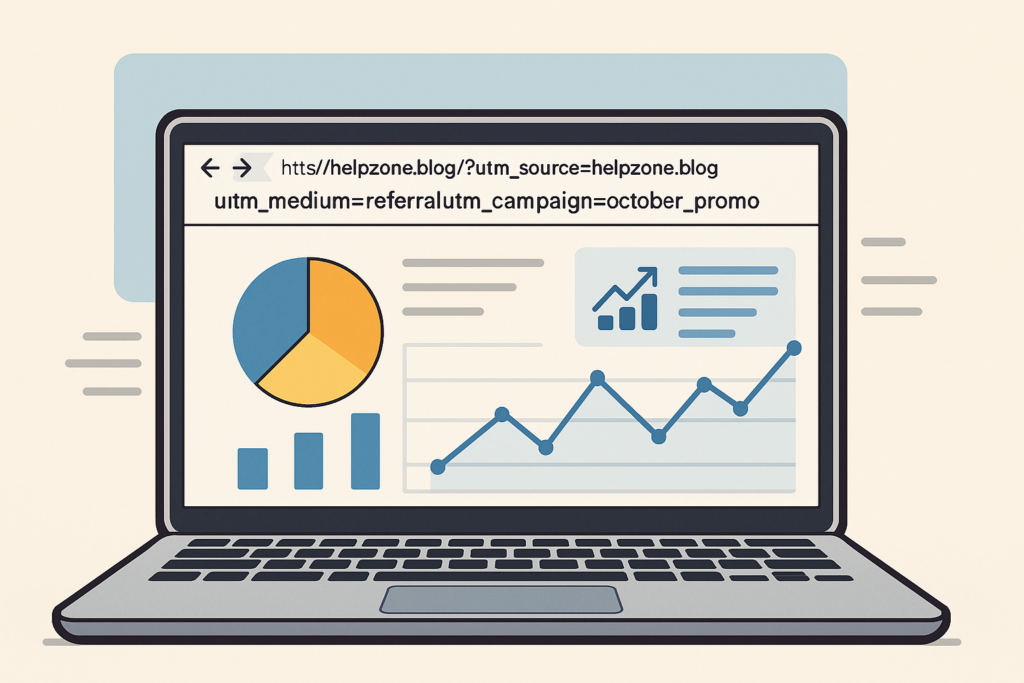
⚙️ How to Add UTM Parameters to a Link
Adding UTM tags is simple. Just start with your base URL, then add a ? followed by your chosen parameters joined by &.
✅ Example 1 – Single Parameter
https://helpzone.blog/seo-guide?utm_source=helpzone.blog
This version only tracks the source, showing that the visitor came from HelpZone.blog.
✅ Example 2 – Complete Tracking
https://helpzone.blog/seo-guide?utm_source=facebook&utm_medium=social&utm_campaign=seo_tips
Now you’re tracking the source (Facebook), the channel (social), and the campaign (SEO tips).
🧰 Use Google’s Campaign URL Builder
Google offers a free tool to simplify this process:
👉 Google Campaign URL Builder
Fill in the following fields:
- Website URL
- Campaign Source
- Campaign Medium
- Campaign Name
Then click Copy URL to generate your final tracking link instantly.
This is ideal for social media, email newsletters, and advertising campaigns.
💡 Best Practices for UTM Naming
- Keep it lowercase – GA treats
Facebookandfacebookas different sources. - No spaces – use hyphens or underscores instead.
- Be consistent – define a standard naming pattern for your team.
- Avoid too many parameters – only use what’s necessary.
- Shorten long links – tools like Bitly or Rebrandly help with cleaner links.
🔍 Example: ?utm_source=helpzone.blog
If you add this to a link:
https://example.com/?utm_source=helpzone.blog
Analytics will record that visitors came from helpzone.blog as the traffic source.
This is particularly useful when you manage multiple websites, guest posts, or affiliate links.
By expanding it:
https://example.com/?utm_source=helpzone.blog&utm_medium=referral&utm_campaign=october_promo
You can see which referral sent the user, why, and during which campaign.
📊 How to Analyze UTM Traffic in Google Analytics 4 (GA4)
- Go to Reports → Acquisition → Traffic acquisition
- Set Session source/medium as your dimension
- Filter or group by Campaign to view all your marketing efforts
This gives a full breakdown of how each campaign performed and helps identify which source delivers the highest engagement or conversions.
🧠 Why UTM Parameters Are Essential
- They track every link across your marketing channels
- Provide clarity on which strategies bring real results
- Improve ROI by focusing on high-performing sources
- Enable A/B testing between different headlines or banners
- Help identify weak channels that waste budget
Without UTM tracking, all traffic might appear as “direct” or “referral,” which hides valuable insights.
🔧 How to Add UTM Tags Automatically in WordPress
If you want to add ?utm_source=helpzone.blog automatically to all external links, you can use a plugin or a custom PHP snippet.
Option 1 – Using a Plugin
Search in your WordPress dashboard for:
“Auto Append UTM Parameters”
or
“UTM Builder for WordPress”
These plugins allow you to define a default UTM pattern that is automatically added to every external link.

Option 2 – Custom PHP Snippet
You can add this snippet in your child theme’s functions.php or using Code Snippets plugin:
add_filter('the_content', function($content) {
    return preg_replace_callback('/<as[^>]*href=["']([^"']+)["']/', function($matches) {
        $url = $matches[1];
        if (strpos($url, home_url()) === false && strpos($url, 'utm_source=') === false) {
            $separator = (strpos($url, '?') === false) ? '?' : '&';
            $url .= $separator . 'utm_source=helpzone.blog';
        }
        return str_replace($matches[1], esc_url($url), $matches[0]);
    }, $content);
});
✅ This will automatically add ?utm_source=helpzone.blog to all external links on your site.
or
You may also be interested in: How to Fix Received Discarded Packets in Windows 11
🧮 Case Studies & Real Examples
Case Study 1 – Email Campaign
A WordPress newsletter added:
https://helpzone.blog/?utm_source=newsletter&utm_medium=email&utm_campaign=weekly_tips
Result:
After one month, GA showed that 42% of returning visitors came through the weekly email confirming the campaign’s value.
Case Study 2 – Social Media Promotion
A blogger shared:
https://helpzone.blog/tutorials?utm_source=instagram&utm_medium=social&utm_campaign=ai_tools
Outcome:
Instagram produced 1,200 visits and a 7% higher conversion rate than Facebook.
Case Study 3 – Partner Websites
Adding:
https://helpzone.blog/plugins?utm_source=partner&utm_medium=referral&utm_campaign=affiliate_test
Allowed the blogger to reward affiliates based on real tracked traffic.
⚖️ Pros and Cons of Using UTM Parameters
| Pros | Cons |
|---|---|
| Easy to implement and customize | Can create long URLs |
| Work with any analytics platform | Users can manually alter parameters |
| Provide precise traffic insights | Require consistent naming |
| Useful for A/B testing | Not ideal for sensitive or internal links |
📈 Visualization: UTM Traffic Example
| Source | Medium | Campaign | Visitors | Conversion Rate |
|---|---|---|---|---|
| social | summer_sale | 1,254 | 4.2% | |
| social | summer_sale | 894 | 5.0% | |
| newsletter | july_promo | 621 | 3.8% | |
| helpzone.blog | referral | october_promo | 412 | 4.7% |
📘 Key Takeaways
- UTM parameters let you track exactly where your visitors come from.
- Start with simple links like
?utm_source=helpzone.blog. - Add
utm_mediumandutm_campaignfor richer analysis. - Use GA4 to visualize traffic by source, medium, and campaign.
- Automate tagging in WordPress for efficiency and accuracy.
FAQ
1) What is a UTM parameter?
A UTM parameter is a short tag you append to a URL (e.g., ?utm_source=helpzone.blog) so analytics tools can record where a visitor came from and which campaign/link drove the click.
2) Why should I use UTMs?
UTMs let you see which sources, channels, and campaigns actually perform. They reduce “Direct”/“Unknown” traffic and help you invest in what works.
3) What are the standard UTM parameters?
utm_source(where traffic comes from)utm_medium(channel, likeemail,social,cpc,referral)utm_campaign(campaign name, likeblack_friday)utm_term(paid keyword term; optional)utm_content(ad/link variant; optional)
4) What does ?utm_source=helpzone.blog do?
It records helpzone.blog as the traffic source for that click in your analytics reports.
BUILD
5) How do I build a UTM link?
Start with your URL, add ? (or & if the URL already has parameters), then your tags, e.g.:https://example.com/page?utm_source=helpzone.blog&utm_medium=referral&utm_campaign=october_promo
6) Do UTMs affect SEO or ranking?
No. UTMs are ignored by search engine ranking algorithms. They are for analytics attribution, not indexing.
7) Where do I see UTM data in GA4?
Go to Reports → Acquisition → Traffic acquisition and use dimensions like Session source/medium and Session campaign. For conversion reporting, use Advertising → Attribution.
8) What naming rules should I follow?
Use lowercase, avoid spaces (use - or _), keep names short but descriptive, and be consistent across your team.
9) Should I add UTMs to internal links?
Generally no. Internal UTMs can overwrite correct source/medium attribution and break your acquisition reports. Use them sparingly for testing with care.
10) How can I auto-append utm_source=helpzone.blog to outbound links in WordPress?
Use a small snippet (e.g., via Code Snippets) or a plugin that appends a default UTM to external links only.
11) Can users manipulate UTM parameters?
Yes they are visible and editable. Treat UTM data as directional, not as a security or fraud-proof signal.
12) How do I prevent UTM “pollution” (duplicates/messy names)?
Document a UTM naming policy, enforce lowercase, and restrict who creates campaign links. Consider a central link builder.
13) Do I need to encode special characters?
Yes. Spaces and special characters should be URL-encoded (e.g., space → %20 or use -).
14) What’s a good example set for social, email, and ads?
- Social:
utm_source=instagram&utm_medium=social&utm_campaign=spring_launch - Email:
utm_source=newsletter&utm_medium=email&utm_campaign=weekly_digest - Ads:
utm_source=google&utm_medium=cpc&utm_campaign=brand_terms&utm_term=wordpress%20tutorials
15) How long do UTMs persist?
Only for the click. Persistence (session length, attribution) is handled by your analytics platform’s session and attribution settings.
🎯 Smart Insights on Tracking
Adding ?utm_source=helpzone.blog or similar tracking tags is not just a technical tweak it’s a strategy that empowers smarter decisions. You can identify your top-performing traffic sources, optimize campaigns, and prove the ROI of every click.
Whether you’re running ads, writing blog posts, or sharing links on social media, consistent UTM usage is the bridge between guessing and knowing your marketing performance.
🟦 Disclaimer and Source Hygiene
This article is intended for informational and educational purposes only. The content is based on research, general knowledge, and professional experience, but does not constitute professional advice.
Important Notice and Key Points:
- No Professional Relationship: The information provided does not establish a client-professional relationship of any kind (medical, legal, financial, technical, etc.). It is not a substitute for personalized advice from a qualified professional who is aware of your specific circumstances.
- Accuracy and Completeness: While we strive to provide accurate and up-to-date information, we make no representations or warranties of any kind, express or implied, about the completeness, accuracy, reliability, suitability, or availability of the content. The information is provided “as is.”
- Use at Your Own Risk: Any action you take upon the information in this article is strictly at your own risk. The author and the publisher will not be liable for any losses, damages, or negative consequences arising from its use or reliance on the information provided.
- External Links and References: This article may contain links to external websites or references to third-party content. We have no control over the nature, content, and availability of those sites. The inclusion of any links does not necessarily imply a recommendation or endorsement of the views expressed within them.
- No Endorsement: Mentions of specific companies, products, services, or software are for informational purposes only and do not constitute an official endorsement or recommendation.
- Copyright: The content of this article is intellectual property. Partial or full reproduction is permitted only with prior written consent and with clear citation of the original source.
The author, publisher, and platform assume no responsibility for decisions, actions, or omissions taken based on the information in this material. Always consult with a relevant expert for advice tailored to your situation.
🔔 For more tutorials like this, consider subscribing to our blog.
📩 Do you have questions or suggestions? Leave a comment or contact us!
🏷️ Tags: UTM parameters, tracking links, Google Analytics, utm_source, utm_campaign, website traffic, WordPress tracking, URL builder, SEO tracking, link analytics
📢 Hashtags: #UTMparameters, #GoogleAnalytics, #UTMtracking, #MarketingTips, #DigitalMarketing, #WordPressSEO, #Analytics, #LinkTracking, #SEO, #HelpZoneBlog
