


⏲️ Estimated reading time: 6 min
Table of Contents
Fake Facebook Support Message (Phishing Alert 2025). A new Facebook phishing scam pretends to be an “official support” warning about inappropriate content. It tricks users into clicking fake verification links. Learn how to identify and avoid this scam before your account or page is stolen.
Fake Facebook Support Message – How to Recognize and Avoid It
See also: WPZone Neon Clock – Digital Clock for WordPress
A Dangerous New Scam Circulating on Facebook
Recently, many Facebook users have received messages or comments from accounts named Support AI, Meta Help Center, or similar variations. These messages usually claim that your Facebook Page will be blocked because of “inappropriate content” or “policy violations.”
The message looks official it often includes your page name, a warning emoji ⚠️, and a link that supposedly leads to a verification page.
But don’t be fooled it’s a phishing scam.
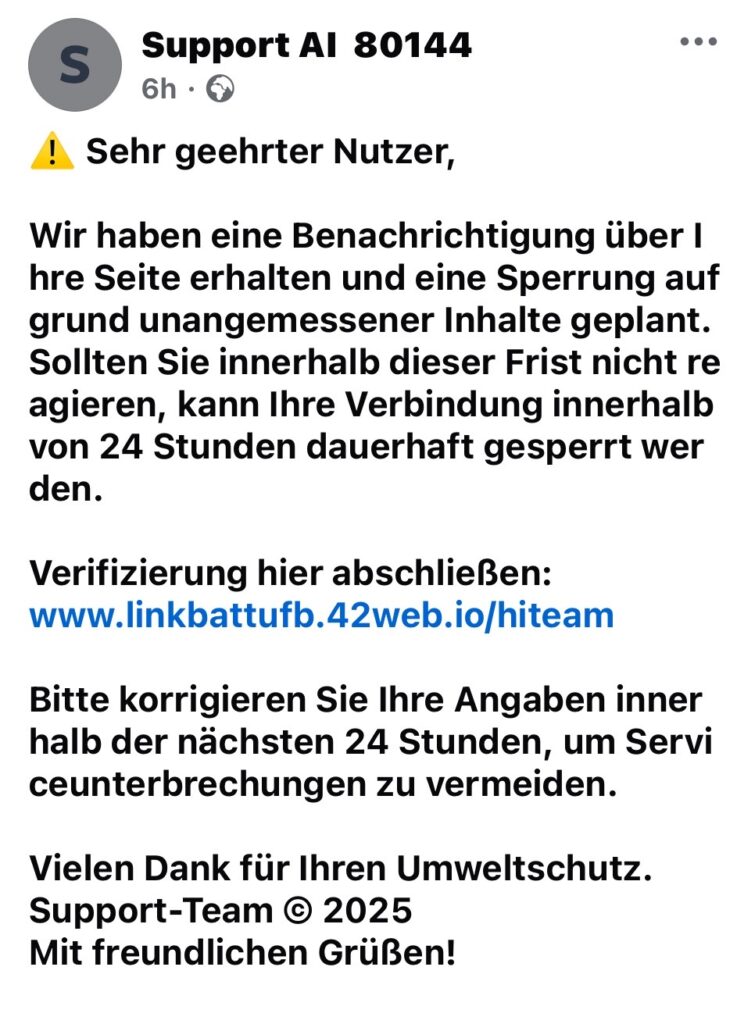
Example of the Fake Message
In the image above, the message reads in German:
“Sehr geehrter Nutzer,
Wir haben eine Benachrichtigung über Ihre Seite erhalten und eine Sperrung aufgrund unangemessener Inhalte geplant…
Verifizierung hier abschließen: www.linkbattufb.42web.io/hiteam”
Translated to English, it means:
“Dear user,
We received a notification about your page and plan to suspend it for inappropriate content…
Please complete verification here: [fake link]”
At first glance, this message might look legitimate. It uses formal language and mentions Facebook rules. But there are several clear red flags.
How You Can Recognize a Phishing Attempt
- Fake URLs
The domain in this message42web.iois not an official Facebook or Meta domain. Real Facebook links always end infacebook.comormeta.com. - Urgent Warnings
Scammers use pressure tactics such as “you have 24 hours” or “your page will be permanently blocked.” This creates panic and pushes you to act without thinking. - Grammar and Spelling Mistakes
The text contains awkward phrasing and grammar errors like “Verbindung innerhalb von 24 Stunden dauerhaft gesperrt werden.” Professional support teams don’t make such errors. - Anonymous Profile
The sender name “Support AI 80144” has no verification badge and looks suspiciously generic. Real Facebook support never contacts you this way. - External Verification Links
Official Facebook verification never happens on third-party websites. It always occurs within your Facebook account settings or in the Meta Business Suite.
What Happens If You Click the Link
If you click on the fake link, you’re redirected to a website that looks like Facebook’s login page. Once you enter your credentials, the attackers instantly steal your:
- Facebook username and password
- Linked email address
- Two-factor authentication codes (if requested)
This allows them to take full control of your profile or page. They can delete posts, steal private messages, or even use your account to spread more scams.
What You Should Do If You Received This Message
- Do not click any links.
Delete the message immediately without opening the suspicious URL. - Report the profile.
Go to the scammer’s profile and use the “Report” button for Fake account or Phishing attempt. - Check your login activity.
Go to Settings → Security and Login → Where You’re Logged In and review all active sessions. - Change your password.
Use a strong password with uppercase, lowercase, numbers, and special characters. - Enable two-factor authentication.
This adds an extra security layer using a code sent to your phone or authenticator app.
How to Protect Your Facebook Page in the Future
- Never trust links outside of
facebook.com. - Always verify messages through the official Meta Support inbox.
- Be skeptical of any message that mentions “urgent action” or “24-hour suspension.”
- Bookmark the real support page: https://www.facebook.com/help
- Educate your team members who manage the page about phishing awareness.
Why Scammers Target Page Owners
Facebook pages with many followers are valuable. Hackers use them to:
- Post crypto scams or fake ads
- Sell page access to others
- Collect data from followers
- Damage brand reputation
That’s why scammers focus on page admins they know one stolen login can compromise thousands of followers.
How to Verify If a Message Is Genuine
Meta support never sends messages from personal accounts.
You can confirm authenticity by checking:
- The blue verification badge
- The official Facebook or Meta domain
- The email address (
@facebookmail.com) if received by email
If any of these are missing it’s fake.
What to Do If You Already Clicked the Link
If you entered your login details on a phishing site:
- Immediately change your password on Facebook.
- Log out of all other devices.
- Run a virus/malware scan on your device.
- Report the phishing website to Facebook and your browser (Chrome, Edge, Safari).
- Consider turning on alerts for unrecognized logins.
Real Support vs Fake Support: Key Differences
| Feature | Real Facebook Support | Fake “Support AI” |
|---|---|---|
| Domain | facebook.com / meta.com | random domains like 42web.io |
| Account type | Verified with blue check | Unverified, generic name |
| Contact method | Meta Support Inbox | Private message or comment |
| Tone | Professional and specific | Urgent and threatening |
| Link destination | Facebook or Meta help pages | Fake login or verification pages |
Educate Others – Don’t Let Them Fall for It
Share awareness posts on your own timeline or page.
Phishing scams spread fast, especially when page admins panic.
By warning your friends or coworkers, you help protect the community.
Remember: Facebook will never threaten to delete your page without prior notice inside your account settings.
Frequently Asked Questions
Q1: Can Facebook really delete my page if I ignore such a message?
No. Facebook will only take action after multiple official warnings through your account dashboard, not through private messages.
Q2: Why do scammers use German or English?
They try to appear more legitimate by mimicking Facebook’s international communication style.
Q3: How can I report a phishing website?
You can report it to https://www.facebook.com/report or to Google Safe Browsing at https://safebrowsing.google.com.
Q4: What if I already clicked but didn’t enter my data?
You’re safe just avoid interacting further. Clear your browser history and report the page.
🧭 Facebook phishing
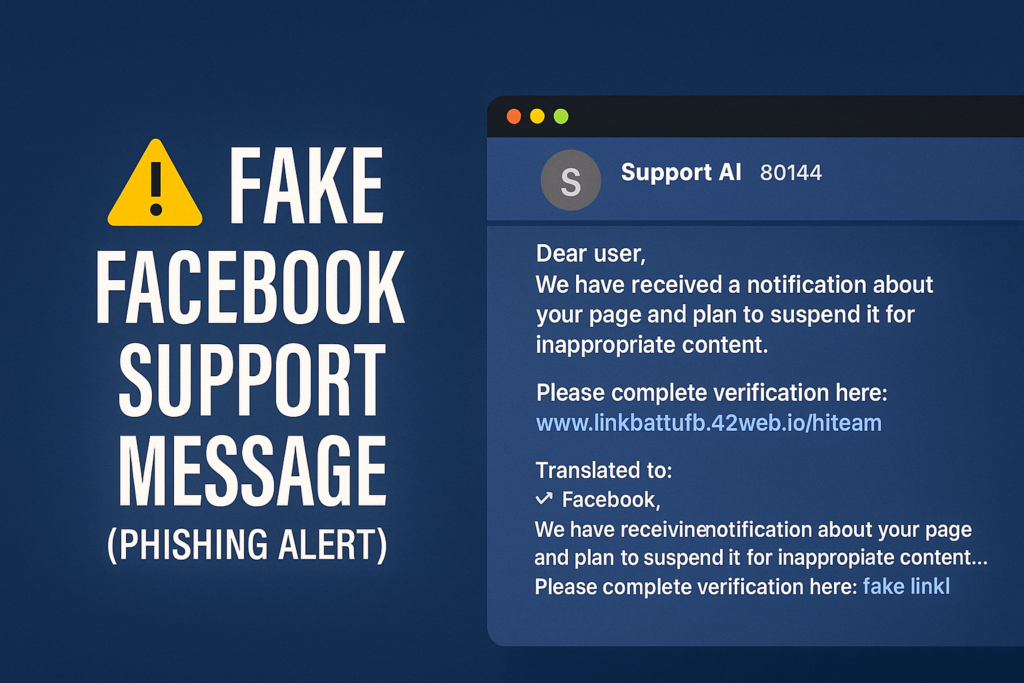
The message in the image is a classic Facebook phishing scam. It uses fear, fake urgency, and imitation of official communication to steal your account.
Always double-check links and never provide your credentials outside Facebook’s official website. By staying alert and informed, you can protect your online identity and your digital community.
🔔 For more tutorials like this, consider subscribing to our blog.
📩 Do you have questions or suggestions? Leave a comment or contact us!
🏷️ Tags: Facebook Security, Phishing Alert, Online Safety, Scam Awareness, Cybersecurity Tips, Fake Support, Hacking Prevention, Account Protection, Meta Scam, Digital Privacy
📢 Hashtags: #FacebookScam, #PhishingAlert, #OnlineSecurity, #MetaSafety, #CyberAwareness, #FakeSupport, #DataProtection, #HackingAlert, #StaySafeOnline, #DigitalSecurity
